
Your needs, this model
Does it fit your priorities?
Can an M2 Pro laptop use four 10 Gbps USB-A ports and two external 4K 60 Hz displays?
Yes, in the supported Thunderbolt Mac arrangement. Two downstream Type-C ports carry the screens, leaving one of those ports available for another device. Ordinary USB 20 Gbps is not established.
Explore this need in the finder →Does the hub have SD and microSD readers that can operate together?
No. Neither reader is built in. Separate readers would need appropriate available downstream connections.
Explore this need in the finder →Can the documented USB-A host fallback charge the laptop and drive a display?
No. The manual expressly excludes host charging and external displays from USB-A host mode. The hub still needs its own power supply.
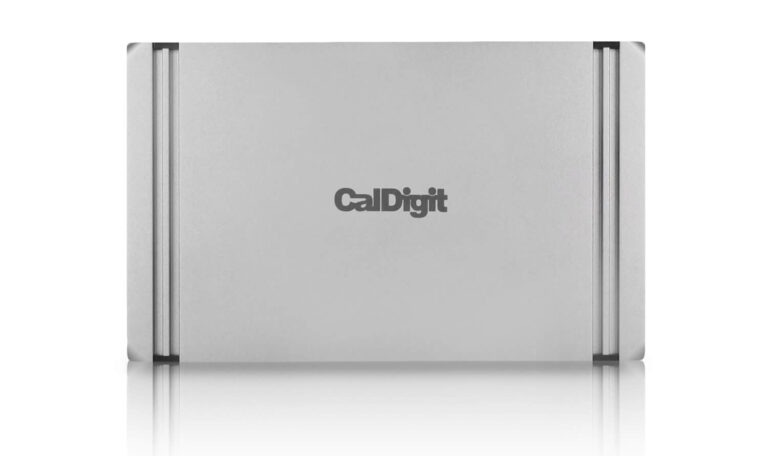
Explore this need in the finder →The CalDigit Thunderbolt 4 Element Hub fits a desk that needs four fast USB-A connections and flexible Thunderbolt or USB-C expansion more than built-in card readers, Ethernet or HDMI. It can charge a suitable laptop at up to 60 W and drive the documented display arrangement for that host. Its compact body should not be mistaken for a bus-powered travel adapter: the supplied 150 W power supply is required.
Decide whether flexible ports suit your accessories
One of the four Thunderbolt-shaped Type-C sockets connects to the computer. Three remain downstream for compatible devices, and four USB-A sockets are separately specified at up to 10 Gbps. This arrangement is useful if your collection already includes USB-C storage, a Thunderbolt monitor or a specialist adapter. You can decide which functions to add instead of accepting a fixed set of legacy connections.
The tradeoff is easy to overlook in a total-port comparison. There is no native HDMI socket, DisplayPort socket, Ethernet jack, SD reader or microSD reader. Adding those functions requires compatible peripherals or adapters, which occupy downstream sockets and add their own cables. A camera user who always imports two card types and connects wired networking may prefer a dock that contains those functions from the start.
The 40 Gbps Thunderbolt transport rating also describes a different layer from ordinary USB device speed. The four USB-A ports have an explicit 10 Gbps ceiling; they are not four independent 40 Gbps links. The hub does not establish ordinary USB 3.2 Gen 2x2 operation merely by accepting a USB-C peripheral.
Match the host and the number of independent displays
The official manual distinguishes Thunderbolt 3, Thunderbolt 4, USB4 and ordinary USB-C hosts. On a suitable Thunderbolt or USB4 computer, the documented arrangement supports two external 4K 60 Hz displays. USB-C video is a different fallback: the manual's matrix shows a single 4K 60 Hz screen for its DP 1.4 USB-C PC arrangement, and a single 4K 30 Hz screen for its DP 1.2 USB-C PC arrangement. A connector that fits does not establish which row applies.
Displays connect through the spare Thunderbolt sockets. A suitable USB-C or Thunderbolt display can connect directly; HDMI and DisplayPort monitors need the appropriate separate USB-C video adapters. Two monitors use two of the three downstream Type-C sockets, leaving one of those sockets available for a separate device. Include that allocation when planning storage or further expansion.
CalDigit's exact product FAQ names base M1 and M2 Macs as single-external-display systems through this hub. It separately names M1 Pro, M1 Max, M2 Pro and M2 Max for dual displays. That is more useful than treating all Apple silicon as one category. Enter the relevant computer and screen requirements in the setup finder, then check the actual display route before ordering adapters.
The fallback modes have material limits
CalDigit documents a USB-A host connection through a separately purchased USB-A to USB-C cable, but that mode supplies neither laptop charging nor an external monitor. It can be relevant when reusing the hub for ordinary peripherals on an older computer. It does not turn that older port into a Thunderbolt host.
The Windows support note also identifies limitations on early Alpine Ridge Thunderbolt 3 controllers: only one downstream socket retains Thunderbolt operation, while the other two act as USB-C connections. Updated system firmware, graphics software and the appropriate Thunderbolt driver are part of the Windows setup. Check the controller and the required peripheral protocol if you intend to connect several Thunderbolt devices, rather than assuming every supported host gives the same result.
Budget for 60 W charging and the separate supply
The package includes the hub, a detachable 0.8 m Thunderbolt 4 cable, rubber feet, a 150 W supply and a power cord. CalDigit specifies up to 60 W for the connected laptop and up to 15 W on each downstream Thunderbolt port. The supply's full rating is not delivered to the computer. A larger laptop with demanding CPU or GPU work may still need its own charger, as CalDigit recommends.
The reversible body can sit on either side of a laptop, which helps position the downstream cables. Its small size is useful at a desk, but carrying the complete setup means carrying the power brick too. Shortlist the Element Hub when its adjustable collection of ports solves a concrete accessory problem. For an existing USB4 setup needing built-in HDMI, DisplayPort and Ethernet with a separate power arrangement, compare the Anker 556 A83A8 and account for the different host and Mac display restrictions.
Sources: CalDigit Element Hub specifications and FAQ; official Element Hub manual; Windows compatibility limitations. This is a specification-based assessment, without claimed hands-on speed, temperature or reliability measurements.
Key details at a glance
| USB-A downstream data ports | 4 |
|---|---|
| USB-C downstream data ports | 3 |
| HDMI outputs | 0 |
| Digital DVI outputs | 0 |
| Analog VGA outputs | 0 |
| Full-size DisplayPort outputs | 0 |
| Mini DisplayPort outputs | 0 |
| USB-C video outputs | 3 |
| Full-size SD slots | 0 |
| microSD slots | 0 |
| Simultaneous card slots | No |
| Advertised Ethernet link ceiling | 0Gbps |
| Maximum stated power available to host | 60W |
| Included supply rating | 150W |
| Power adapter included | Yes |
| Detachable host cable | Yes |
| Included host-cable length | 31.5 in |
| Stated product weight | 180g |
| Host requirements | Connect the supplied detachable Thunderbolt 4 cable to the Computer port. Thunderbolt 3, Thunderbolt 4, USB4 and ordinary USB-C fallback are documented. A legacy USB-A host needs a separately purchased cable and supports neither host charging nor an external display. |
| Screen arrangement | Displays use the downstream Type-C ports. Suitable Thunderbolt or USB4 hosts can use the documented dual 4K 60 Hz arrangement. Base M1 and M2 Macs support one external display. The manual separately documents a single 4K 60 Hz display for a DP 1.4 USB-C PC and a single 4K 30 Hz display for a DP 1.2 USB-C PC. |
| Power and charging | The included 150 W supply is required for operation. A suitable laptop can receive up to 60 W. USB-A host fallback does not charge the computer, and desktop Macs retain their own power supplies. |
| Data and device limits | The four dedicated USB-A ports support up to 10 Gbps. Three downstream Thunderbolt ports also accept supported USB-C devices, but their ordinary USB line rate is left unknown in this evidence set. Each display mode records the data ports that remain available after its screen connections are allocated. |
| Installation | The reversible body sits on a desk with the supplied rubber feet. The package includes a detachable 0.8 m Thunderbolt 4 cable, a 150 W supply and a power cord. The US package is recorded alongside older manual footnotes. |
Use the exact model’s instructions for operating limits, supplied equipment and version differences.
Sources for this assessment
Find a hub or dock for your desk.
Match the computer, screens, devices and charging routine, then check the exact supported arrangement.