
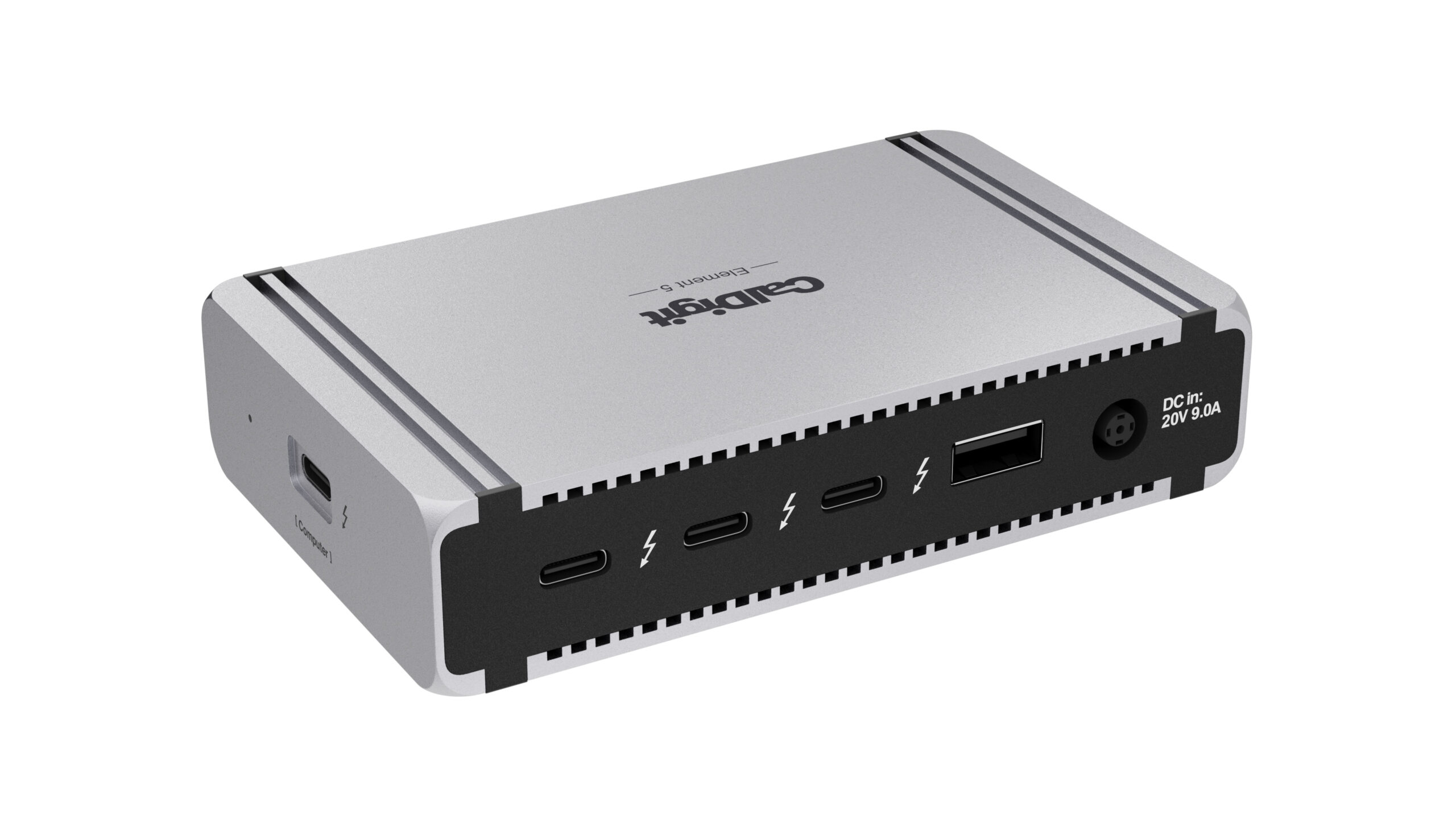
Your needs, this model
Does it fit your priorities?
Can a supported M2 Pro laptop use three 10 Gbps USB-A ports and two 4K 60 Hz Type-C displays?
Yes. Two downstream Thunderbolt ports carry the screens, leaving two dedicated USB-C data ports and one further downstream Thunderbolt port for other devices.
Explore this need in the finder →Does it include Ethernet and simultaneous SD and microSD readers?
No. None of those functions is built in. Separate network adapters and card readers need appropriate available connections.
Explore this need in the finder →Does the included supply provide a 100 W host allowance through the hub?
No. The 180 W supply powers the complete hub, while the stated host ceiling is 90 W. A laptop with a higher power requirement may need its own charger.
Explore this need in the finder →The CalDigit Element 5 Hub is a compact powered expansion point for a supported computer that needs three downstream Thunderbolt 5 ports, three 10 Gbps USB-A sockets and two dedicated 10 Gbps USB-C sockets. Its up-to-90 W host charging is useful for an appropriate laptop. Choose it when flexible connections matter more than built-in Ethernet, card readers or HDMI; those functions require separate devices.
A small body still needs a complete power setup
CalDigit supplies a 180 W power adapter, a power cord, rubber feet and a detachable 0.8 m Thunderbolt 5 cable. The hub requires its power supply to operate. Carrying the small hub alone does not create a bus-powered travel setup, so include the supply and the required display adapters when judging the complete kit.
The host receives up to 90 W through the socket marked for the computer. That is a different figure from the supply's 180 W rating. A laptop that needs more power during demanding CPU or GPU work may still need its own charger, as CalDigit advises. Desktop Macs use their own supplies and do not receive charging from the hub.
The reversible body can be placed on either side of the computer to suit cable routing. That makes the physical arrangement adaptable, but it does not remove the space used by attached cables. Plan where three downstream Thunderbolt leads, ordinary USB accessories and the power lead will actually go.
Use the downstream sockets for the jobs they support
One Thunderbolt socket is occupied by the computer connection, leaving three downstream. They can serve compatible monitors, storage or further expansion. The two dedicated USB-C sockets and three USB-A sockets are separately specified at up to 10 Gbps for ordinary data. The dedicated USB-C sockets should not be substituted for the Thunderbolt display connections merely because the plugs look alike.
There is no native HDMI, DisplayPort, Ethernet, SD or microSD connection. A photographer can add an appropriate reader, and an HDMI desk can add compatible video adapters, but each additional device changes the occupied-port count and the items that must be purchased or carried. A fuller dock can be simpler if all those functions are permanent requirements.
Thunderbolt 5's 80 Gbps transport and display bandwidth boost describe the host link, not the ordinary USB speed of every socket. CalDigit also discusses a USB data path in its comparison material, but its dedicated data sockets are specified at 10 Gbps. Those statements do not establish a 20 Gbps USB 3.2 Gen 2x2 connection for a particular external SSD. Require exact evidence for that peripheral mode if it is essential.
The computer determines how many displays belong in one plan
Compatible USB-C and Thunderbolt monitors can connect directly to the downstream Thunderbolt sockets. HDMI and DisplayPort monitors need suitable separate USB-C video adapters. On a supported two-screen host, two directly connected displays occupy two of the three downstream sockets. Three directly connected displays occupy all three.
The current official documentation distinguishes base M1/M2 single-screen limits, compatible base M3 closed-lid arrangements, and the named Pro, Max, Ultra and newer base M4/M5 configurations. It adds triple-display support for M5 Pro and M5 Max, and up to four displays for M5 Max with a suitable Thunderbolt daisy chain. Four displays are not four directly available sockets on this hub.
Windows Thunderbolt 5 hosts can support the documented triple-screen arrangement when the computer itself supports it. Thunderbolt 4 Windows hosts do not acquire a native third display. The higher modes also depend on the monitors, GPU and any required Display Stream Compression support. Use the setup finder with the actual chip, host connection and independent-screen requirement, then check the precise routing and display notes.
Fallback compatibility has a narrower meaning
CalDigit supports Thunderbolt 5 and Thunderbolt 4 hosts, Thunderbolt 3 Macs, USB4 and documented ordinary USB-C arrangements. It expressly excludes Thunderbolt 3 Windows PCs. That exception is important for an older Windows workstation even if its connector and cable fit.
The specified minimums include macOS 15 or newer and Windows 11 or newer, with additional Windows processor and firmware conditions. Lower-capability connections provide reduced functionality. Ordinary USB-C compatibility does not promise Thunderbolt peripherals or the highest simultaneous display modes, so match the documented fallback rather than copying the flagship feature list.
The manual also describes approving a newly connected device through the operating system's prompt or settings. CalDigit offers a separate macOS storage-ejection utility and a SuperDrive driver for those specific functions. A managed computer may impose its own installation or accessory-approval rules; check the functions you actually need.
Shortlist Element 5 for a supported host whose accessory collection benefits from flexible downstream ports and a suitable 90 W charging allowance. For a USB4 hub with native HDMI plus DisplayPort and onboard Ethernet, compare the Anker 556 A83A8, keeping its separate supply needs and Mac display limitations in view. The useful comparison is the complete setup, including the adapters each design requires.
Sources: CalDigit Element 5 specifications and FAQ; official Element 5 manual; current display support charts. This is a specification-based assessment without claimed hands-on transfer, temperature or durability measurements.
Key details at a glance
| USB-A downstream data ports | 3 |
|---|---|
| USB-C downstream data ports | 5 |
| HDMI outputs | 0 |
| Digital DVI outputs | 0 |
| Analog VGA outputs | 0 |
| Full-size DisplayPort outputs | 0 |
| Mini DisplayPort outputs | 0 |
| USB-C video outputs | 3 |
| Full-size SD slots | 0 |
| microSD slots | 0 |
| Simultaneous card slots | No |
| Advertised Ethernet link ceiling | 0Gbps |
| Maximum stated power available to host | 90W |
| Included supply rating | 180W |
| Power adapter included | Yes |
| Detachable host cable | Yes |
| Included host-cable length | 31.5 in |
| Stated product weight | 200g |
| Host requirements | Thunderbolt 5 and 4, Thunderbolt 3 Macs, USB4/v2 and ordinary USB-C fallback are documented with different capabilities. Thunderbolt 3 Windows hosts are excluded. The current Windows platform and firmware conditions still apply. |
| Screen arrangement | Displays use the three downstream Thunderbolt ports. Dedicated USB-C data ports do not carry video. Exact chip, lid condition and screen-port allocation matter. Four displays require a qualifying Thunderbolt monitor chain on a specifically supported host. |
| Power and charging | The included 180 W supply is required. A suitable laptop can receive up to 90 W. Each downstream Thunderbolt port offers up to 15 W, and the ordinary USB ports offer up to 7.5 W. Desktop Ultra systems do not receive host charging. |
| Data and device limits | Three USB-A ports and two dedicated USB-C data ports support up to 10 Gbps. The downstream Thunderbolt ports accept supported USB-C devices, but their ordinary USB line rates remain unassigned. The comparison table’s USB data-path wording does not prove an ordinary USB 20 Gbps Gen 2x2 socket. |
| Installation | The reversible desktop body uses supplied rubber feet. The exact US package includes a detachable 0.8 m Thunderbolt 5 cable, a 180 W supply and a power cord. |
Use the exact model’s instructions for operating limits, supplied equipment and version differences.
Sources for this assessment
Find a hub or dock for your desk.
Match the computer, screens, devices and charging routine, then check the exact supported arrangement.