
Your needs, this model
Does it fit your priorities?
Can the DP 1.4 arrangement use two 5 Gbps USB-A ports and both cards at once?
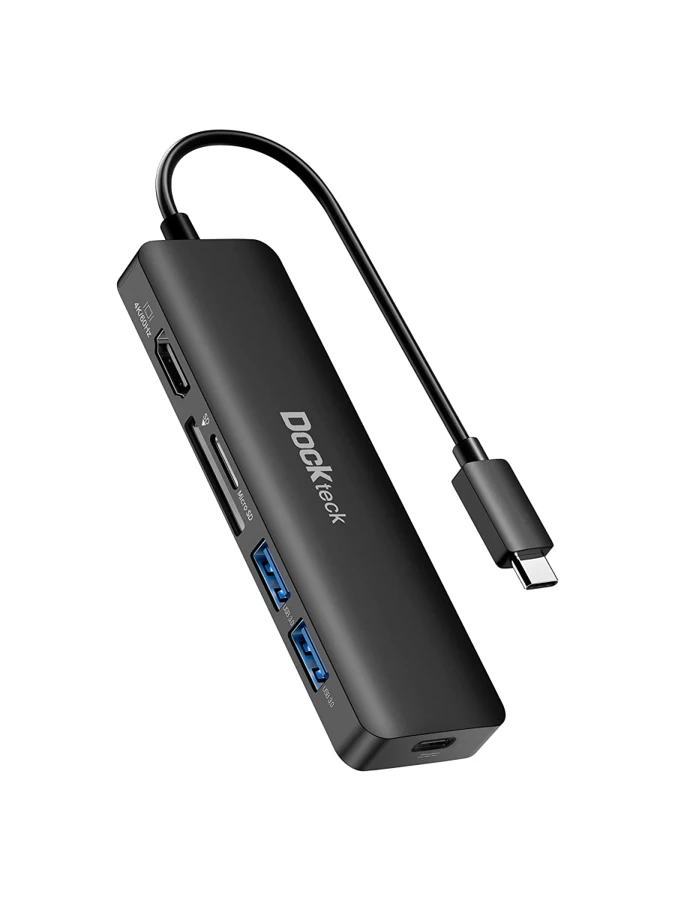
Yes. Two data ports and simultaneous SD/microSD reading are explicit in the exact maker material.
Explore this need in the finder →Can a DP 1.2 host require 4K 60 Hz HDMI?
No. The documented fallback is 4K 30 Hz.
Explore this need in the finder →Does it establish three USB-A data connections?
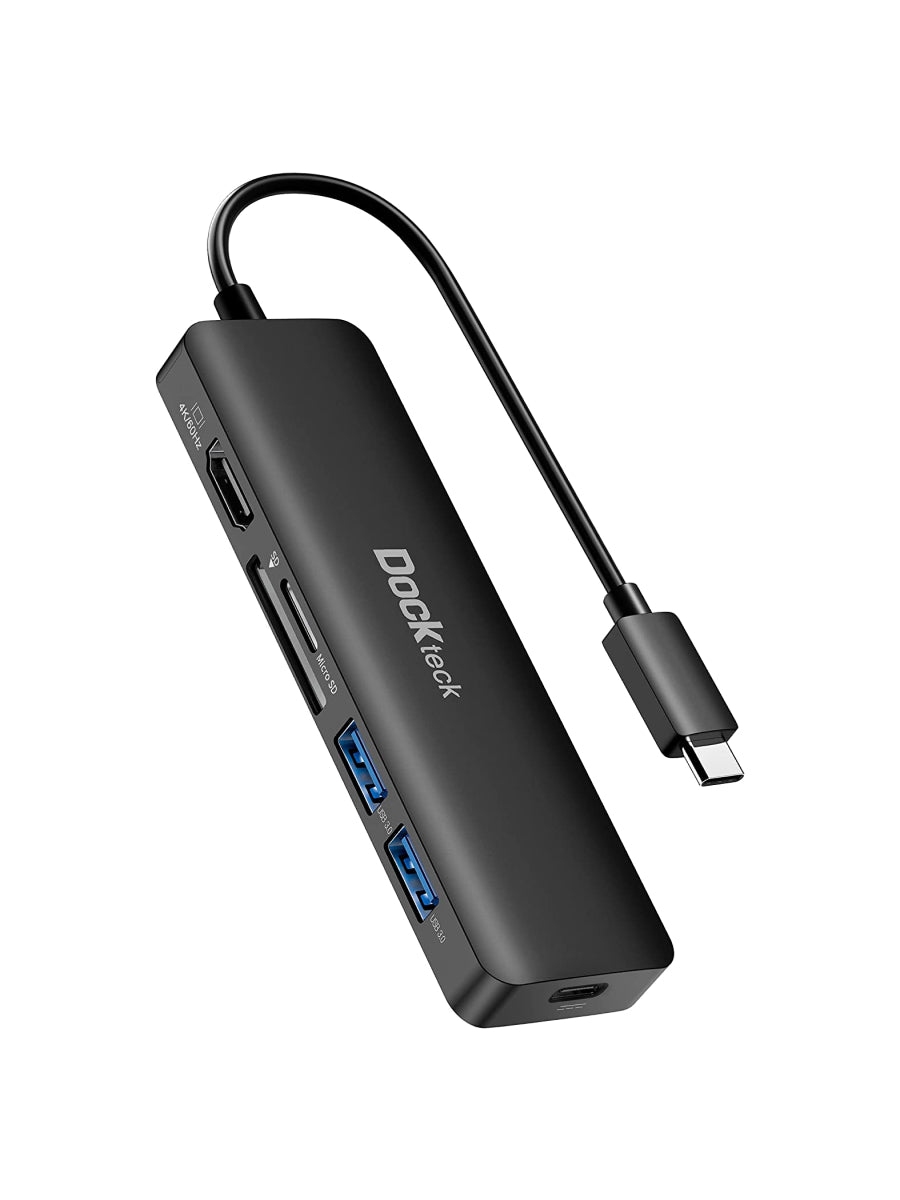
No. The exact photo and own feature description show two.
Explore this need in the finder →A card-and-display hub with two USB data connections
The Dockteck DD0009 is a six-in-one adapter for a supported USB-C computer or tablet that needs one HDMI screen, two USB-A data devices, cards and charging through a separate PD source. The exact manufacturer image and feature description establish two USB-A sockets. That is the count used here, keeping this model distinct from a three-USB-A Dockteck adapter with a different port mix.
The layout is useful when importing media and working at an external screen are part of the same task. Count the peripherals that must remain connected as well as the card formats you use. If three USB data devices or Ethernet are essential, this particular arrangement does not provide the required sockets.
Simultaneous cards are positively documented
Dockteck explicitly says the SD and microSD readers can operate at the same time. That is a meaningful difference from a hub that has two physical slots but selects only one card. The maker describes a reader ceiling up to 104 MB/s and support for common SD-family formats.
Use that as an advertised capability, not a measured card-copying result. Cards, USB storage and the other functions share the host connection. For a media workflow, also check that the computer or tablet software can read the card format and open the files after transfer.
The two USB-A connections are each advertised up to 5 Gbps. Dockteck advises connecting one HDD or SSD at a time, and it discourages using those data sockets for charging. A keyboard plus one drive is a different load from two bus-powered storage devices; choose a separately documented powered arrangement if the latter is essential.
Choose the correct HDMI plan for the host
The original page ties 4K 60 Hz HDMI to DisplayPort 1.4 video support at the computer. It separately limits a DisplayPort 1.2 host to 4K 30 Hz. The finder keeps both routes visible so the higher timing is not automatically assigned to an older video connection.
Dockteck names specific earlier Intel MacBook Pro and iPad Pro examples for 4K 60 Hz and lists selected Windows machines. Check the exact computer rather than translating a broad MacBook name into support for every newer chip. The hub's USB-C plug does not create a native video signal on a data-only port.
Use one HDMI screen and an appropriate cable, with the monitor set to the input you actually connected. The hub does not add a second video output. A requirement for two independent external desktops needs a different documented product-and-computer arrangement.
Charging has a separate input and an explicit maximum
The manufacturer states up to 100 W PD input and a maximum 92 W passed to the host, with 8 W reserved for the hub. The PD connection does not provide downstream USB-C data or monitor output. Plan a suitable external charger and cable around the computer's requirements and the adapter's stated path maximum.
Actual device charging depends on the source, cable, negotiation and workload; the maximum is not a measured battery-charge result. The USB-A data sockets should not be treated as substitute high-power charging outputs either. Keep those power roles separate when deciding what belongs in the travel kit.
Allow room beside the card slots to insert and remove media without pulling on the HDMI cable or the computer connection.
The maker also warns that some wireless, MIDI or other USB devices may be unsupported or affected when close to the hub. Choose the DD0009 when the exact host, simultaneous-card workflow, two USB-A accessories and single-screen plan fit together. The original DD0009 reference supplies these limits; no independent compatibility or performance testing is claimed here.
Key details at a glance
| USB-A downstream data ports | 2 |
|---|---|
| USB-C downstream data ports | 0 |
| HDMI outputs | 1 |
| Full-size DisplayPort outputs | 0 |
| Mini DisplayPort outputs | 0 |
| USB-C video outputs | 0 |
| Full-size SD slots | 1 |
| microSD slots | 1 |
| Simultaneous card slots | Yes |
| Maximum stated power available to host | 92W |
| Maximum PD input | 100W |
| Detachable host cable | No |
| Host requirements | Specific earlier MacBook, iPad and Windows examples only; individual Apple-silicon chip support is not established. |
| Screen arrangement | DP 1.4 HDMI at 4K 60 Hz; explicit DP 1.2 fallback at 4K 30 Hz. One output. |
| Power and charging | Explicit 100 W input and 92 W maximum host output after an 8 W reserve; separate PD source and cable. |
| Data and device limits | Two 5 Gbps USB-A sockets are confirmed by the body text and exact photo; simultaneous SD/microSD. One HDD/SSD at a time. Data USB ports are not recommended for charging. |
Use the exact model’s instructions for operating limits, supplied equipment and version differences.
Sources for this assessment
Find a hub or dock for your desk.
Match the computer, screens, devices and charging routine, then check the exact supported arrangement.