
Your needs, this model
Does it fit your priorities?
Can the documented arrangement require Gigabit Ethernet and simultaneous SD/microSD?
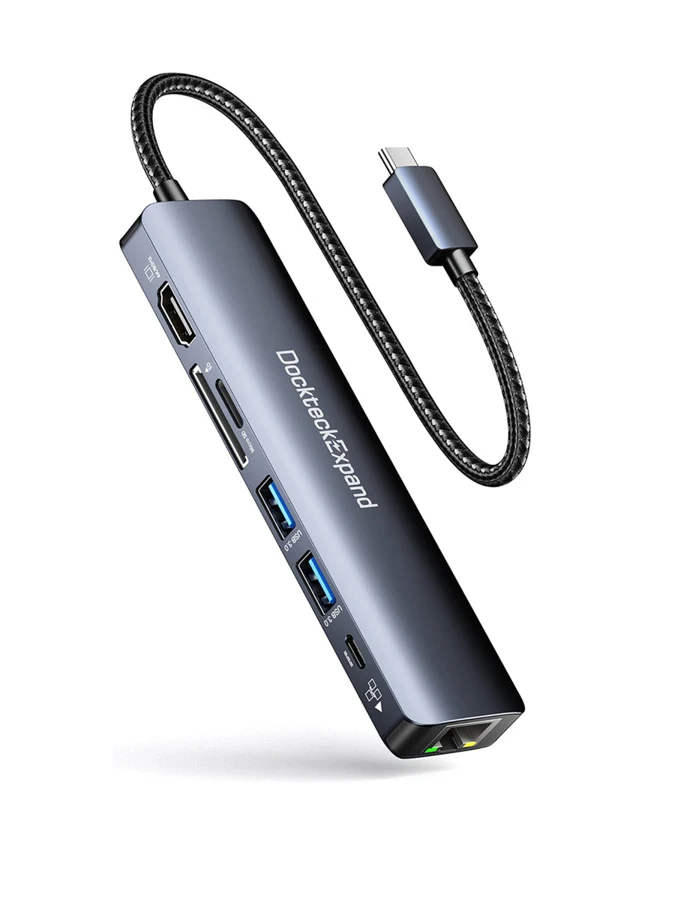
Yes. Both are explicit for this exact model, with two USB-A data connections.
Explore this need in the finder →Can I require three 5 Gbps USB-A data sockets?
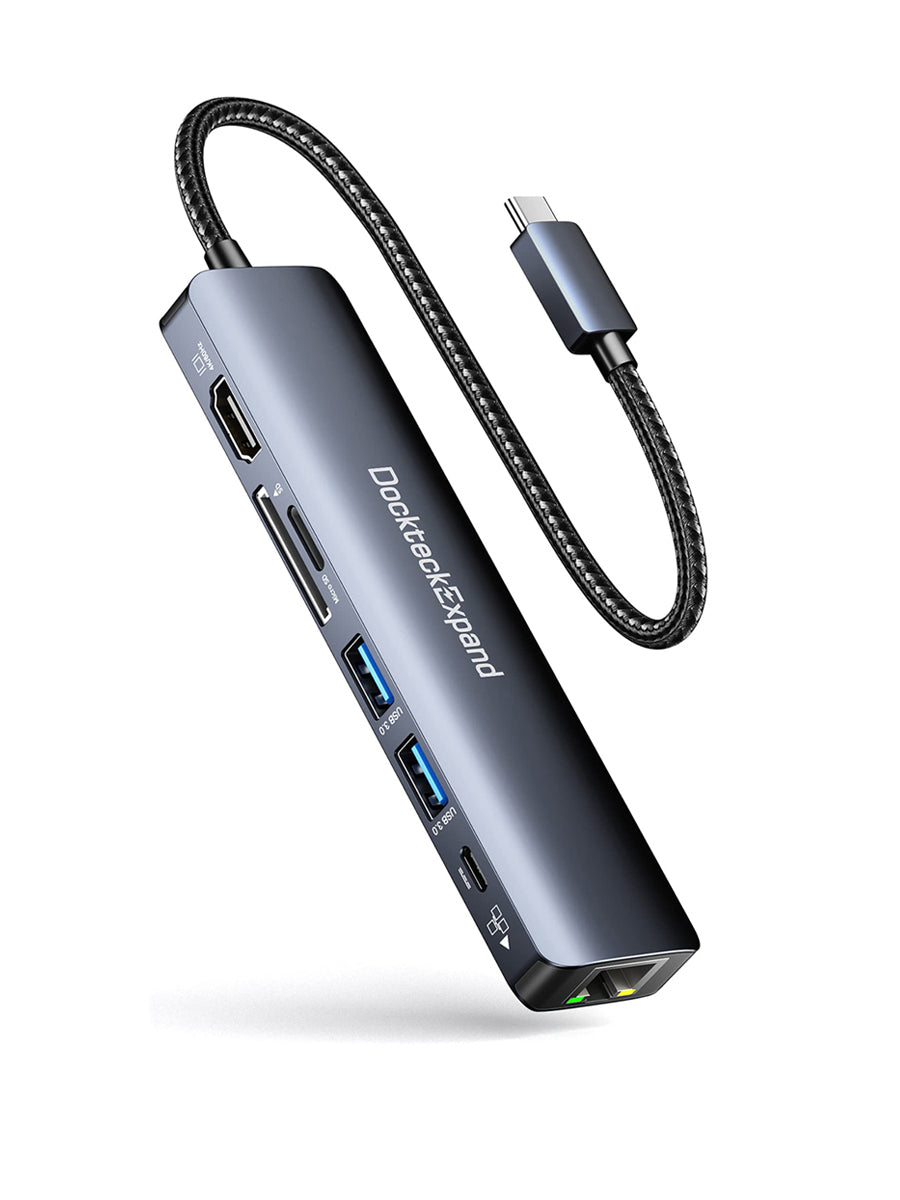
No. The exact manufacturer image and main feature list establish two.
Explore this need in the finder →Does the 100 W label establish at least 90 W delivered to the host?
No. The exact page does not state a guaranteed net host charging figure.
Explore this need in the finder →A portable network-and-card connection point
The DockteckExpand DE0000 suits a supported USB-C computer or tablet that needs one HDMI screen, Gigabit Ethernet, memory cards and a small USB accessory set. Its seven-function layout has two USB-A data sockets, as shown in the exact manufacturer gallery and described in the main feature list. Keep this SKU distinct from other Dockteck seven-in-one hubs whose cable or power allocation may differ.
The useful buying question is whether this mix covers the complete task. Two USB devices plus wired networking and both card formats can be enough for a compact workstation or media-import setup. A desk needing three USB data peripherals already calls for a different layout, even if another specification table on the page suggests a larger count.
Wired networking is a link capability
The maker identifies Gigabit Ethernet. That is relevant when a suitable wired network connection is available, but it does not guarantee the speed of an internet service, remote server or file copy. The computer, cabling, router or switch and the rest of the network remain part of the result.
Plan where the network cable will enter the setup and leave enough room for the plug to be inserted and released. A portable hub becomes less convenient if several attached leads pull against the host connector. Position the body so the cables can rest naturally instead of hanging under tension beside a raised laptop or tablet.
Both card slots can be used at once
DockteckExpand explicitly describes simultaneous SD and microSD operation. That is useful for a workflow involving both formats, rather than merely having a choice between two slots. The manufacturer advertises UHS-I-style reader capability up to 104 MB/s, which should be read as an interface claim rather than a measured result for a particular card.
The two USB-A ports are advertised up to 5 Gbps. They share the host connection with readers, networking and the other functions. Count the devices that need to remain connected and check their power requirements; the available sockets do not create independent full upstream bandwidth for every device.
For a media-import task, decide where files will go after reading them and verify that the host software supports the card and file formats. Having the correct physical reader is one part of the workflow. Safely ejecting removable storage before disconnecting it helps keep the transfer process orderly.
One HDMI screen needs actual host video support
The original page advertises HDMI up to 4K 60 Hz and requires a USB-C host with DisplayPort Alt Mode for full functionality. It also names suitable Thunderbolt host connections. The page does not give a DP-version table, so this assessment does not invent a DP 1.2 or 1.4 tag from the connector shape.
Use one compatible display and an appropriate HDMI cable. The hub does not provide two independent external-screen outputs, and its charging input is not a USB-C video socket. Check the exact computer or tablet rather than assuming that every device in a broad brand family has the required native video function.
Charging is supported through the separate USB-C PD input, labeled 100 W. The page does not establish a guaranteed net wattage delivered to the host, so that narrower requirement stays unconfirmed. The specifically listed M1 iMac continues to use its own power supply; its desktop compatibility entry is not a laptop-charging promise.
Choose the DE0000 when its two data sockets, simultaneous cards, Gigabit link and single-screen arrangement match the job. Resolve exact charging power separately if it is essential. The exact original DE0000 page and its own gallery establish these roles; no network, charging or copying measurements are claimed here.
Key details at a glance
| USB-A downstream data ports | 2 |
|---|---|
| USB-C downstream data ports | 0 |
| HDMI outputs | 1 |
| Full-size DisplayPort outputs | 0 |
| Mini DisplayPort outputs | 0 |
| USB-C video outputs | 0 |
| Full-size SD slots | 1 |
| microSD slots | 1 |
| Simultaneous card slots | Yes |
| Advertised Ethernet link ceiling | 1Gbps |
| Maximum PD input | 100W |
| Detachable host cable | No |
| Host requirements | Native DP Alt Mode is required; Thunderbolt 3/4 routes are named. The inconsistent Mac/year list is not expanded to unproven chips. |
| Screen arrangement | One HDMI output up to 4K 60 Hz with a suitable host, cable and display; DP version is not specified. |
| Power and charging | PD input has a 100 W headline; the guaranteed net host maximum is unknown. The specifically listed M1 iMac uses separate computer power. |
| Data and device limits | Two USB-A 5 Gbps ports from the model’s feature text and actual two-socket gallery. The main table’s three-A entry conflicts and is not used. Simultaneous SD/microSD is explicit. |
Use the exact model’s instructions for operating limits, supplied equipment and version differences.
Sources for this assessment
Find a hub or dock for your desk.
Match the computer, screens, devices and charging routine, then check the exact supported arrangement.