
Your needs, this model
Does it fit your priorities?
Can I keep four USB-C data connections while charging the laptop?
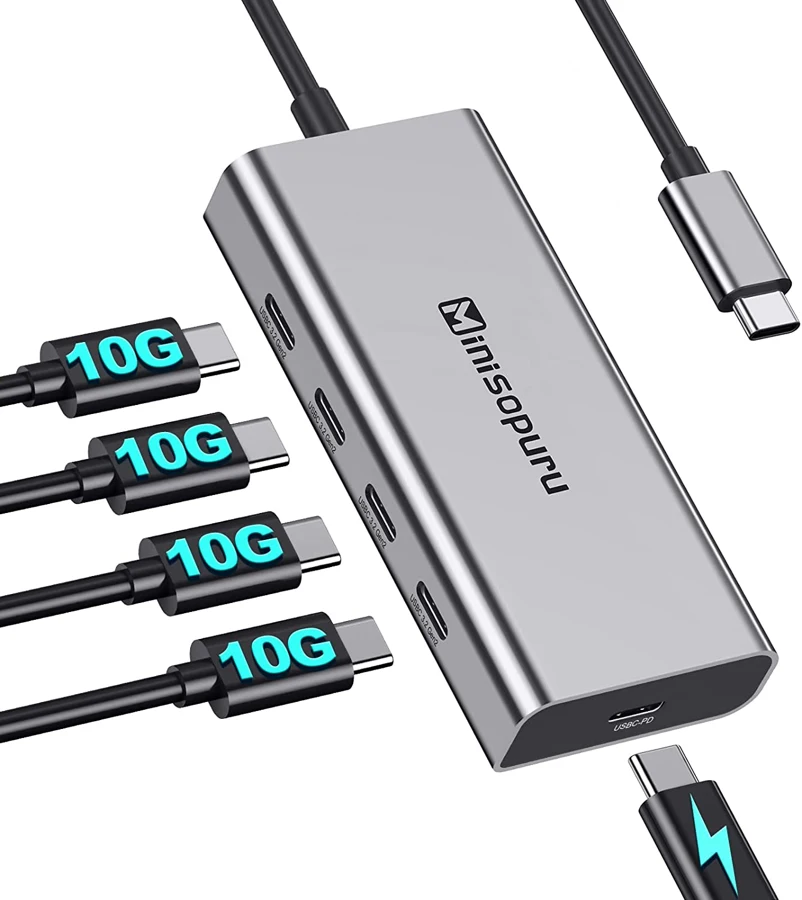
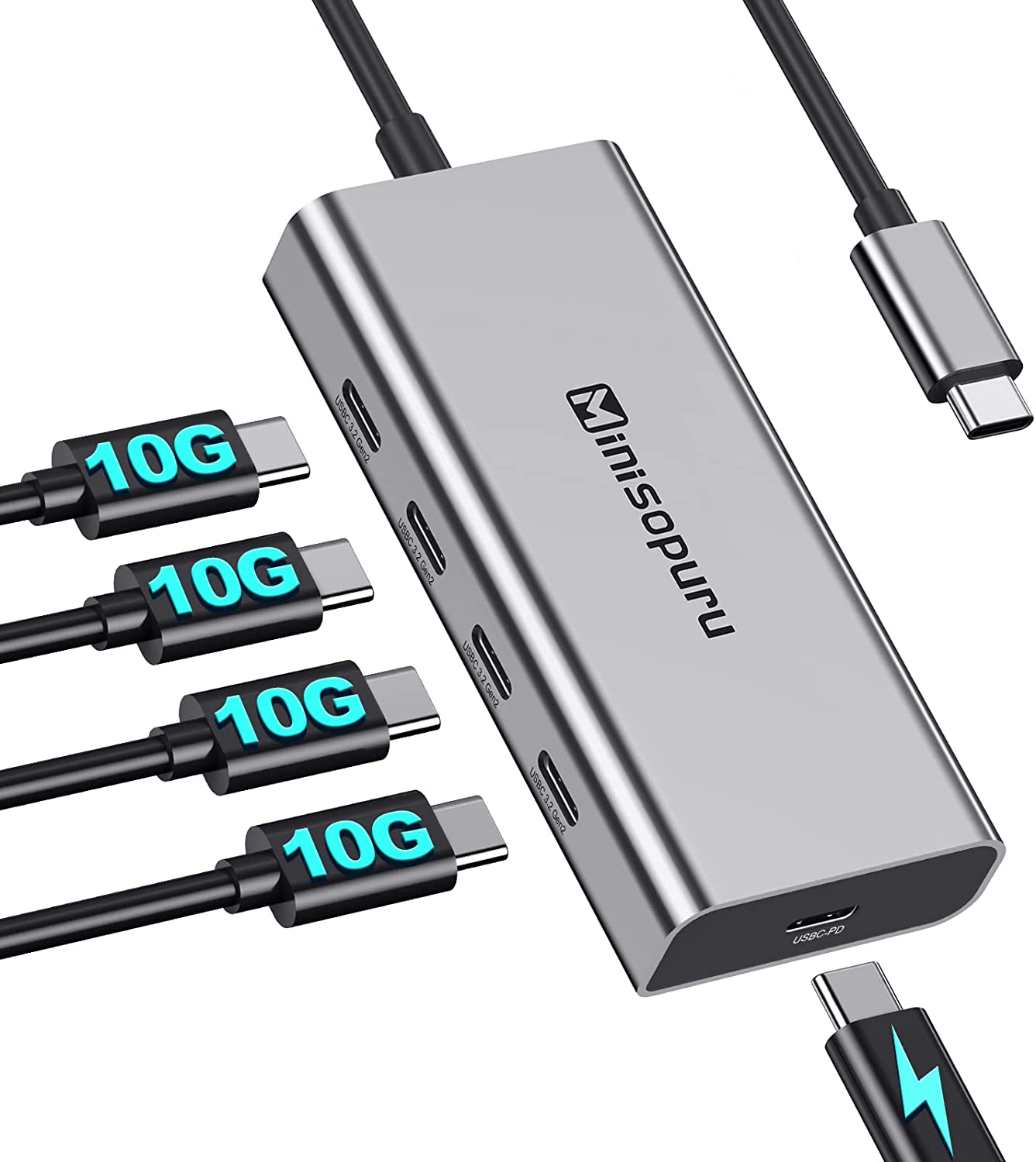
Yes. The exact manufacturer image confirms four separate data sockets and a fifth PD input, so the charging cable does not occupy one of the four data sockets.
Explore this need in the finder →Does it provide 90W laptop output and advertised 10Gbps data ports?
The manufacturer expressly states 90W output and labels the actual data-port illustration USB-C3.2 Gen 2, alongside repeated 10Gbps claims. These are advertised capabilities, not independent simultaneous speed measurements.
Explore this need in the finder →Can one of those USB-C sockets connect a monitor?
No. The maker explicitly says this hub supports data and PD, not video, so a screen requirement excludes it.
Explore this need in the finder →Four USB-C data ports without giving one up for charging
The Minisopuru BD118G is useful when several accessories have USB-C data plugs and the laptop must keep charging at the same time. It provides four data sockets along one side and a physically separate PD input on the end. That fifth socket is important: connecting a charger does not consume one of the four data positions.
This is still a data and charging hub, not a display dock. Minisopuru explicitly says it does not support connecting a monitor. Choose it when the computer's screen connection is already handled elsewhere, rather than expecting every USB-C socket to carry video.
What the10Gbps specification means here
The product page repeatedly advertises10Gbps data transfer. Its exact manufacturer image labels the four data ports USB-C3.2Gen2, consistent with that speed class. One feature sentence instead calls them Gen1. We retain that text inconsistency in the evidence, while using the explicit current Gen2 port labels and repeated10Gbps advertised specification for this exact model.
That remains an advertised interface capability, not our measured copying speed. All four accessories share the host connection. Four10Gbps sockets do not create four independent10Gbps paths back to the computer, and an appropriate host, accessory and cable are required to use the available rate.
A mixed collection of USB-C devices can fit well, but the hub should not be chosen by socket count alone for a demanding storage array. Think about which drives will operate together, what power they need and whether sustained transfers share the same upstream resources.
A separate100W input and stated90W host output
The manufacturer explicitly distinguishes up to100W PD input from up to90W output to the computer. The90W output figure is the relevant stated laptop-charging ceiling. It is not obtained by assuming that every100W adapter automatically gives a laptop100W.
The external power adapter is not included. The computer's USB-C port must support charging, and the charger and cable must suit the required PD arrangement. A lower-rated source or a computer that accepts less power will not receive90W simply because that number is part of the hub's maximum specification.
Minisopuru advises connecting PD power before attaching a high-power external device and recommends not inserting three external hard drives at the same time. Those instructions matter when planning several bus-powered accessories. External PD support is not a guarantee that every possible four-drive combination is supported.
The USB-C sockets are not monitor outputs
The four side sockets carry data. The end socket receives charging power. None is documented as a DisplayPort Alt Mode display output, and the manufacturer expressly excludes video use. A USB-C monitor or a USB-C-to-HDMI cable does not gain a supported display path through one of these sockets.
There are no native USB-A ports, Ethernet connection or memory-card readers in this layout. If those are part of the desk requirement, compare a suitable multifunction dock rather than adding an unplanned chain of adapters and assuming every function will work together.
Match the computer context and the accessories
The maker lists USB-C MacBook and iMac examples, selected iPad Pro models, Surface and other Windows computers, Chromebooks and several other devices. These are useful compatibility references, but a year range does not establish every exact Apple-chip family. The reviewed arrangement remains a USB-C data connection with the necessary PD support for computer charging.
The hub is described as plug-and-play without extra hub drivers. Individual peripherals still need their normal device and OS support. Its attached host cable keeps the unit together for portable use, while making cable replacement less flexible than a detachable arrangement.
Choose the BD118G when four USB-C data sockets and a separate charging input solve the actual laptop setup. Choose a display dock when video is essential, and choose a differently powered arrangement if several demanding storage devices must operate together. Its useful distinction is simultaneous data-port availability and charging, with each physical socket assigned a clear role.
Key details at a glance
| USB-A downstream data ports | 0 |
|---|---|
| USB-C downstream data ports | 4 |
| HDMI outputs | 0 |
| Full-size DisplayPort outputs | 0 |
| USB-C video outputs | 0 |
| Full-size SD slots | 0 |
| microSD slots | 0 |
| Advertised Ethernet link ceiling | 0Gbps |
| Maximum stated power available to host | 90W |
| Maximum PD input | 100W |
| Power adapter included | No |
| Detachable host cable | No |
| Host requirements | Attached USB-C computer lead; named laptop/iPad/Chromebook examples remain within actual connection requirements. |
| Screen arrangement | Manufacturer explicitly excludes monitors/video through this hub; data sockets are not display outputs. |
| Power and charging | A separate fifth USB-C socket is PD input. The maker states 100W input and up to 90W computer output. An external adapter is not included. |
| Data and device limits | Four USB-C data ports are advertised at 10Gbps. The exact maker image labels them USB-C3.2 Gen 2; one conflicting Gen 1 sentence is not treated as a separate measured specification. Upstream bandwidth is shared. |
Use the exact model’s instructions for operating limits, supplied equipment and version differences.
Sources for this assessment
Find a hub or dock for your desk.
Match the computer, screens, devices and charging routine, then check the exact supported arrangement.