
Your needs, this model
Does it fit your priorities?
Can it combine three Type-A data outputs and one HDMI 4K30 display on a suitablehost?
Yes. The exactmodel specification supports thatconnection layout, with nativevideo and appropriatehostequipment.
Explore this need in the finder →Can both SD and microSD beused atthesametime?
No. The originalagent specification explicitlysays thefirstinsertedcard takespriority andthetwoslots cannotworksimultaneously.
Explore this need in the finder →Does 100W PD input establish 100W available to thecomputer?
No. Netcomputer-sideoutput is notseparatelyestablished inthereviewedsource.
Explore this need in the finder →A three-device USB layout with one native display
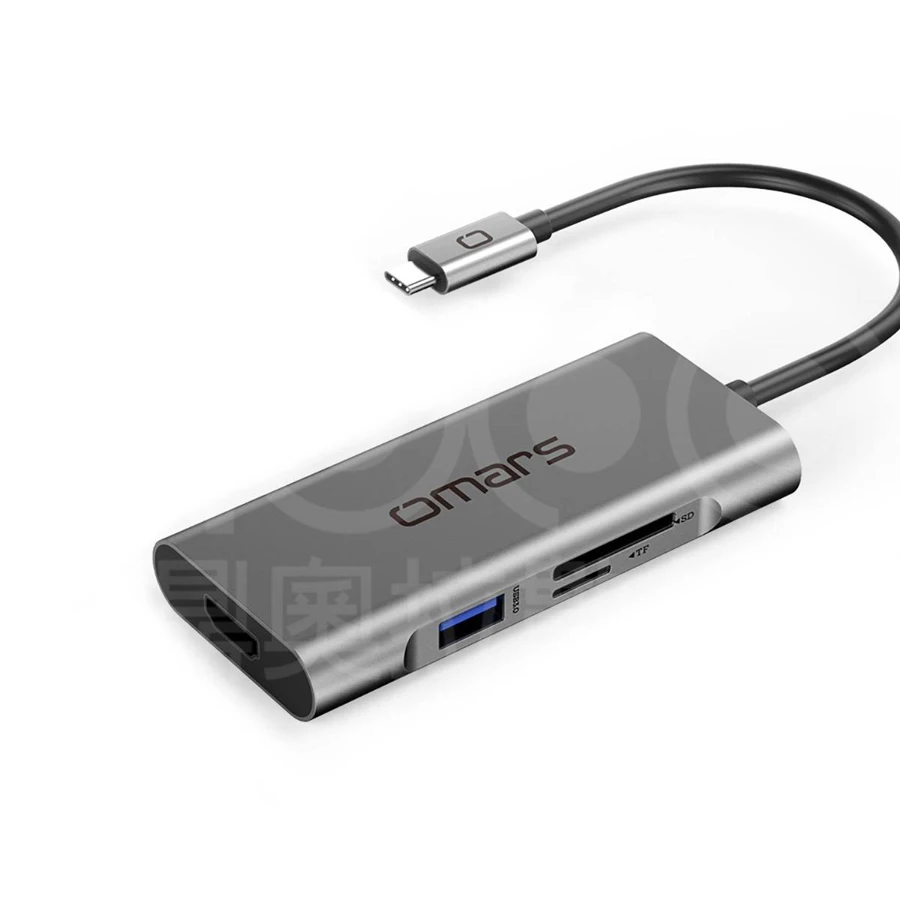
The Omars OMHUBGY07PLX combines three Type-A data sockets, HDMI, a Type-C PD input and two card openings in a compact aluminum body. It can suit a computer that needs one external screen and several ordinary peripherals without a separate full-size dock.
The useful comparison is the exact connection mix. There is no Ethernet socket or downstream Type-C data output in this seven-function layout. Check those requirements before choosing it merely because the overall function count resembles another hub.
The two card slots work one at a time
The official agent's exact specification explicitly says SD and microSD cannot be used simultaneously. The hub recognizes the first card inserted and gives it priority. That is a concrete workflow limit, rather than an unanswered question inferred from a product photograph.
This can be suitable for occasional access to either format. It is a poor match when two cards must remain mounted for direct copying or simultaneous work. Choose a reader with documented concurrent access for that requirement instead of assuming two openings provide two independent readers.
Three Type-A outputs share the available data path
The three USB 3 data outputs advertise 5Gbps capability, with USB 2 backward compatibility also documented. They share the connection back to the computer. Three rated outputs do not create three separate full-bandwidth host links.
Allocate the devices that will work together. A keyboard and receiver beside a drive are a different workload from several active storage devices. The interface label is useful for choosing compatible equipment, but it is not a measured transfer result or an assurance that the host connection is equally fast.
Choose between 4K30 and documented lower modes
The HDMI specification explicitly gives 3840 ×2160 at 30Hz, with 1080p60 among the lower modes. That provides a clear single-screen comparison. The source does not establish 4K60 or two independent external desktops for this hub.
Native DisplayPort Alternate Mode is required through the host connection, and Thunderbolt 3 compatibility is named. A Type-C port carrying data alone does not gain native video through the adapter. Check the exact computer and intended screen mode rather than assuming that a matching connector shape is enough.
The Type-C socket accepts power rather than data
The exact description expressly excludes data transmission through the PD socket. It therefore cannot serve as an additional connection for a Type-C drive. The three Type-A sockets remain the peripheral data outputs.
The power description has a 100W pass-through/input headline, but does not separately establish a net computer-side output rating. A suitable external charger is also not part of the listed hub-and-manual package. Compare a documented host-output figure when a firm minimum laptop-power requirement matters.
Use the compact body with a complete connection plan
The specified body is approximately 97.6 ×45 ×14mm and 62g. That is convenient for a portable arrangement, while the actual HDMI plug, charger lead, cards and three possible USB devices still need space. Avoid letting connected equipment pull against the computer connection.
Shortlist the OMHUBGY07PLX for one 4K30 screen, three Type-A devices and one card format at a time on a suitable host. Choose another layout for simultaneous cards, Type-C data or wired networking. The exact source does not provide a complete operating-system or later-chip matrix, so confirm the computer's required video and charging functions before purchase.
Key details at a glance
| USB-A downstream data ports | 3 |
|---|---|
| USB-C downstream data ports | 0 |
| HDMI outputs | 1 |
| Full-size DisplayPort outputs | 0 |
| USB-C video outputs | 0 |
| Full-size SD slots | 1 |
| microSD slots | 1 |
| Simultaneous card slots | No |
| Advertised Ethernet link ceiling | 0Gbps |
| Maximum PD input | 100W |
| Power adapter included | No |
| Stated product weight | 62g |
| Host requirements | Fixed Type-C host lead. Native DisplayPort Alternate Mode is required for HDMI; Thunderbolt 3 compatibility is named without an exact DP-generation or later-chip matrix. |
| Power and charging | The Type-C PD socket is power-only. Its 100W input/pass-through headline does not separately establish net computer output. The listed package includes hub and manual, not a charger. |
| Data and device limits | Three Type-A USB 3.0 data outputs at advertised 5Gbps, with USB 2.0 backward operation. SD and microSD work one at a time; the first inserted card takes priority. |
| Installation | One HDMI output supports 3840 × 2160 at 30Hz or 1920 × 1080 at 60Hz. Body approximately 97.6 × 45 × 14mm and 62g. No Ethernet or Type-C data output. |
Use the exact model’s instructions for operating limits, supplied equipment and version differences.
Sources for this assessment
Find a hub or dock for your desk.
Match the computer, screens, devices and charging routine, then check the exact supported arrangement.