

Your needs, this model
Does it fit your priorities?
Can a supported Windows USB-A computer use four 5 Gbps USB-A connections without installing hub software?
Yes, within the original data arrangement. The booklet separately cautions that some wireless adapters or receivers may need a direct motherboard port.
Explore this need in the finder →Will the auxiliary power input charge the laptop through the computer cable?
No. The separate auxiliary inlet does not establish laptop charging through this USB-A data arrangement.
Explore this need in the finder →Does it establish a 10 Gbps USB-A storage connection?
No. The original box advertises the theoretical 5 Gbps class.
Explore this need in the finder →QICENT H4P2: four USB-A connections with a separate auxiliary inlet
The H4P2 is a compact four-port data hub for a computer that needs more rectangular USB-A sockets. Its original package identifies four USB 3.0 outputs and a nominal 5Gbps data rate. A detachable computer cable and a separate Micro-USB inlet make the physical connections worth checking carefully: two sockets on the input side do not mean two computers can share the hub. This assessment covers the earlier black H4P2 configuration shown by the original printed package and booklet.
Use the box to identify the edition
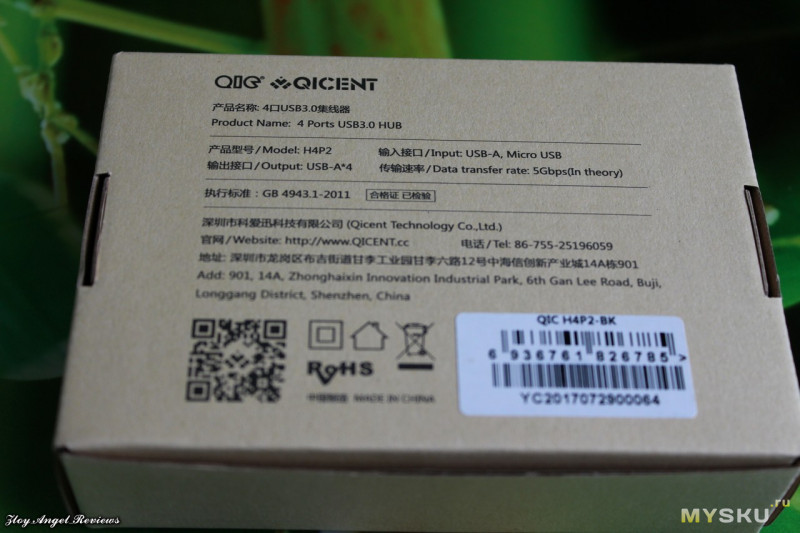
The photographed manufacturer box prints model H4P2 and carries a QIC H4P2-BK label. It names four USB-A outputs, USB-A/Micro-USB input wording and a theoretical 5Gbps transfer rate. The original QICENT USB Hub Series booklet is photographed with the same package. These actual printed materials provide the identity and operating starting point. They are separate from the accompanying reviewer's speed tests, charging experiments and broad recommendation, none of which are treated as our testing or manufacturer specifications.
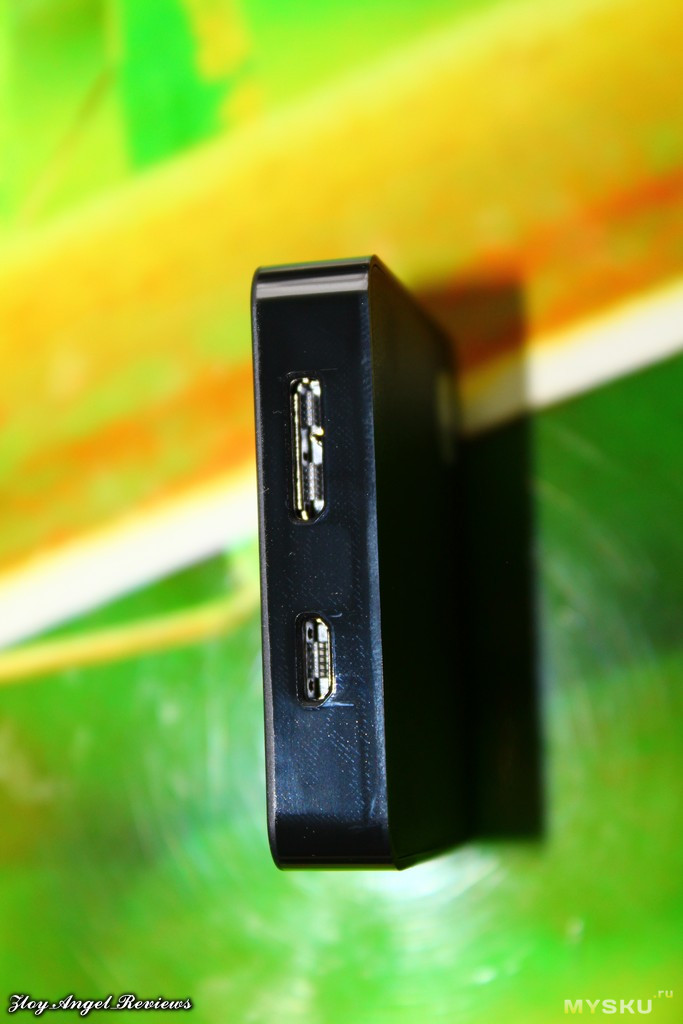
The actual input-side photograph shows a wide SuperSpeed Micro-B data connector beside a smaller Micro-USB connector. The photographed computer cable has USB-A at the computer end and the matching SuperSpeed Micro-B plug at the hub. That supports a detachable USB-A computer arrangement and a separate auxiliary input. It does not establish an included USB-C host adapter or a second data-host connection.
Count accessories before adding a drive
Four USB-A outputs give a useful allocation for a keyboard, mouse, storage drive and another peripheral. A separate card reader can occupy one of those sockets, but the H4P2 itself does not have an SD or microSD slot. The complete documented connection set also contains no Ethernet or native display output. It is best selected when the computer's network, monitor and charging arrangements are already handled.
The original package calls the data rate theoretical, which is an appropriate way to read the 5Gbps headline. It is a connection class, rather than a measured copying result or a promise that four devices each obtain a full independent upstream link. A 10Gbps storage requirement is therefore outside this assessment. There is also no outward USB-C data socket to count for a USB-C drive.
Read the original compatibility cautions
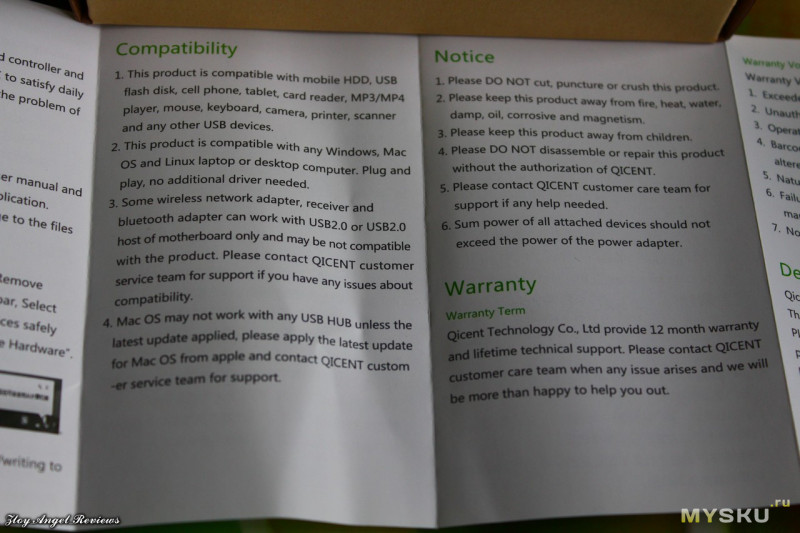
The original booklet names Windows, Mac OS and Linux laptop or desktop computers and says no additional driver is needed for the hub. Those broad platform names do not guarantee every attached device. It specifically notes that some wireless network adapters, receivers and Bluetooth adapters may depend on direct USB 2.0 motherboard connections and may not be compatible through the hub. If one of those devices is essential, preserve a direct computer socket until its own compatibility is confirmed.
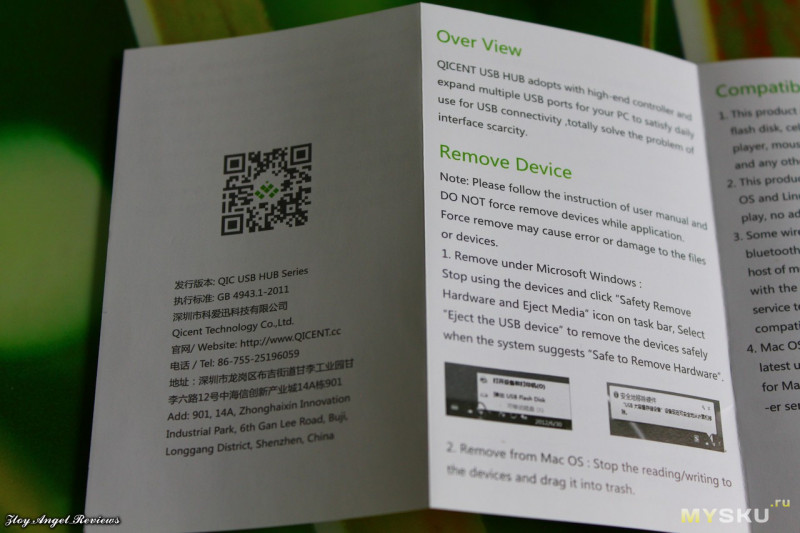
The booklet also advises updating Mac OS when troubleshooting hub operation. The reviewed Mac profile reflects the original Intel-era scope; no later Apple chip is inferred from a generic Mac label. Before unplugging storage, stop its activity and use the operating system's eject procedure. The original instructions explicitly discuss safe removal in Windows and Mac OS, making that part of the normal workflow rather than a detail to discover after a file transfer fails.
The auxiliary inlet is not laptop charging
The extra Micro-USB input is relevant to supplying the hub and accessories. It does not create a laptop charging path through the USB-A computer cable. The reviewed original printed material does not provide a sufficiently clear numerical auxiliary-supply rating or combined peripheral-current budget. It also does not establish an included external power adapter. Resolve those details against the actual unit before planning multiple high-draw devices.
The booklet says that total attached-device power should stay within the supply's capacity. That is a useful boundary, but not a reason to borrow current or fast-charging claims from another QICENT hub. The H4P2 is a sensible earlier reference for four ordinary USB-A devices and simple hub setup, with a replaceable cable arrangement. Choose a different confirmed setup when laptop charging, USB-C data, faster storage links or a precisely rated powered-peripheral installation are the requirement.
Key details at a glance
| USB-A downstream data ports | 4 |
|---|---|
| USB-C downstream data ports | 0 |
| HDMI outputs | 0 |
| Full-size DisplayPort outputs | 0 |
| USB-C video outputs | 0 |
| Full-size SD slots | 0 |
| microSD slots | 0 |
| Advertised Ethernet link ceiling | 0Gbps |
| Maximum stated power available to host | 0W |
| Maximum PD input | 0W |
| Detachable host cable | Yes |
| Host requirements | Detachable USB-A-to SuperSpeed Micro-B computer connection, with separate Micro USB auxiliary inlet. No included USB-C adapter established. Original Windows/Mac/Linux scope, without later chip inference. |
| Screen arrangement | Actual H4P2 four-USB-A map has no display, network or card reader connections. |
| Power and charging | Auxiliary Micro USB input is not laptop charging. Numerical input rating, combined peripheral budget and included power supply are unestablished. Original notice limits attached load to source capacity. |
| Data and device limits | Original box specifies four USB3.0 USB-A outputs, theoretical 5 Gbps. Booklet cautions some wireless dongles may require direct USB2 motherboard ports. No copying speed test or cable length claimed. |
Use the exact model’s instructions for operating limits, supplied equipment and version differences.
Sources for this assessment
Find a hub or dock for your desk.
Match the computer, screens, devices and charging routine, then check the exact supported arrangement.