
Your needs, this model
Does it fit your priorities?
Can I connect ten USB-A data accessories?
Yes. All ten downstream sockets are documented as USB 3.0 data ports with individual power buttons, sharing the single computer connection.
Explore this need in the finder →Does the included power brick also charge my laptop?
No. The external adapter powers the hub and accessories; there is no laptop-charging connection.
Explore this need in the finder →Is extra hub software necessary on the documented computers?
The guide names Windows, Mac OS and Linux and says no hub driver installation is required. Individual accessories can still have their own software requirements.
Explore this need in the finder →Individual switches are the reason to choose it
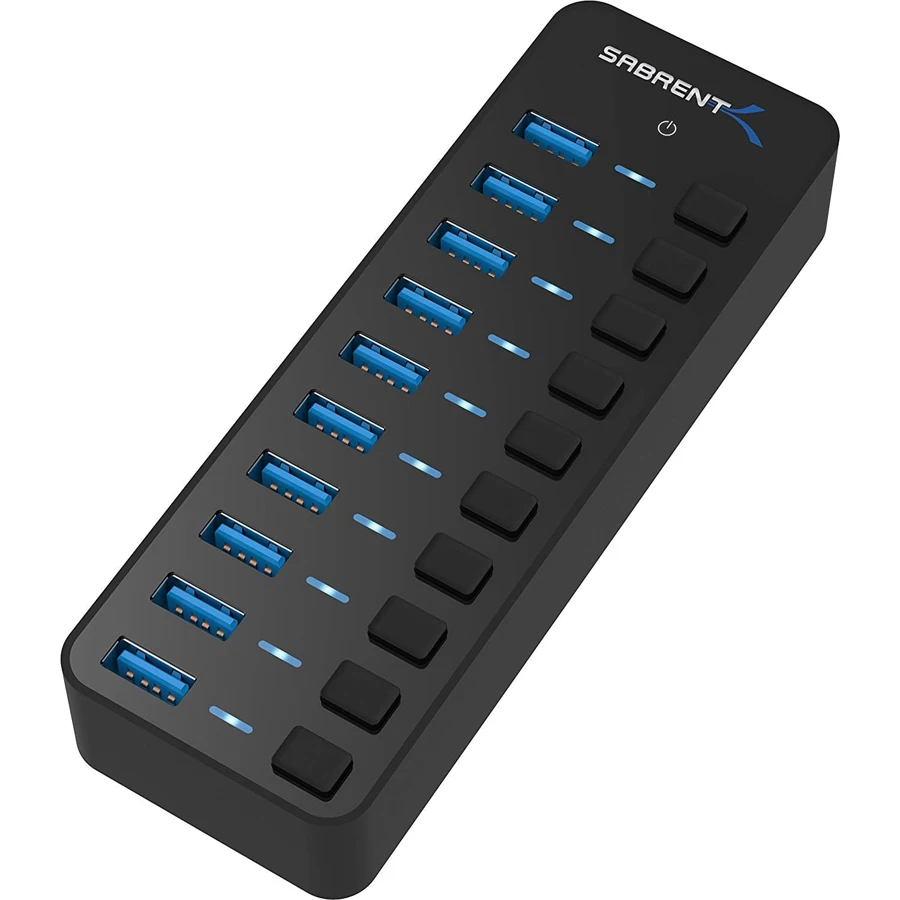
The Sabrent HB-BU10 is a desk hub for people with more USB-A accessories than they want to keep unplugging. It provides ten USB 3.0 data ports, each paired with a power button and a blue status indicator. An external supply powers the hub, and a separate cable connects it to a USB-A computer.
The useful difference from a basic four-port adapter is control. You can leave a collection of accessories physically connected and turn individual ports on or off. That can make a busy desk easier to manage, but a switch is not a safe-eject button for storage. Finish transfers and use the operating system's removal procedure before switching off a drive.
Ten data sockets still use one upstream connection
All ten downstream ports are documented as USB 3.0, with advertised transfers up to 5 Gbps. None of the ten is presented as a charging-only socket. The original illustrated guide clearly distinguishes the separate upstream USB-B connection that links the hub to the computer using the included cable.
The ports do not each receive a dedicated 5 Gbps path back to the computer. Sabrent's own product FAQ explains that connected devices share the hub's total bandwidth. This is a useful fit for a broad mixture of peripherals, but it is not a way to create ten independent high-throughput storage channels. Consider which devices will be busy together, rather than choosing entirely by the port count.
The current product page specifies a 2ft USB cable. Because it is detachable, desk placement is less constrained than with a tiny permanently attached lead, although any replacement still needs the correct connector and data specification. Plan space for both the host cable and the external supply cable at the end of the hub.
The supply powers accessories, not the computer
An AC adapter is included, which distinguishes the HB-BU10 from a purely bus-powered travel hub. It does not provide USB-C Power Delivery to a notebook: there is no USB-C host-charging path in the documented port layout. Keep the computer's charger separate even when the hub itself is plugged into the wall.
There is an important package detail to check. The current manufacturer page lists a 12V5 A adapter, while the original guide linked from that page lists 12V3 A. Those are different ratings. We retain the documented included-supply function but do not assign one universal wattage across both descriptions. Check the adapter label and the exact package when downstream power demand is central to your purchase.
Neither the higher headline nor the number of sockets establishes that every possible combination of bus-powered devices is supported at maximum demand. The actual supply, hub electronics and individual peripheral requirements all matter. For several demanding storage devices, evaluate the power arrangement explicitly rather than treating an external brick as unlimited capacity.
Simple hub installation, with normal peripheral requirements
The guide names Windows, Mac OS and Linux and says the hub requires no driver installation. Its setup sequence connects the supply, attaches the hub to the computer, activates a port and then connects the peripheral. A device attached through the hub may still need its own normal driver or software; the hub does not replace that requirement.
The compatibility wording does not provide a modern Apple-chip-by-chip table or a guarantee for every OS release. The HB-BU10 is also a data hub, without Ethernet, memory-card slots or a display output. Those missing functions should be deliberate choices in your setup, not surprises after purchase.
A sensible fit for a stable desk
Choose it when many traditional USB accessories need to remain organized at a desk and individual power controls solve a real inconvenience. Choose a smaller bus-powered hub for a light travel kit, or a video and PD dock when the goal is a monitor and laptop charging through one cable. The HB-BU10's value lies in numerous switched data ports, with its actual supply rating and shared bandwidth kept in view.
Key details at a glance
| USB-A downstream data ports | 10 |
|---|---|
| USB-C downstream data ports | 0 |
| HDMI outputs | 0 |
| Full-size DisplayPort outputs | 0 |
| USB-C video outputs | 0 |
| Full-size SD slots | 0 |
| microSD slots | 0 |
| Advertised Ethernet link ceiling | 0Gbps |
| Maximum stated power available to host | 0W |
| Power adapter included | Yes |
| Detachable host cable | Yes |
| Individual port switches | Yes |
| Included host-cable length | 24 in |
| Host requirements | Original guide shows the supplied cable connecting a USB-B upstream socket to USB-A on the computer. |
| Power and charging | A hub supply is included. Current product page lists 12V5 A; linked original guide lists 12V3 A. Check the supplied adapter label rather than assuming one universal wattage. This is not laptop PD. |
| Data and device limits | Ten 5 Gbps USB-A ports with individual switches and indicators share one upstream connection. |
Use the exact model’s instructions for operating limits, supplied equipment and version differences.
Sources for this assessment
Find a hub or dock for your desk.
Match the computer, screens, devices and charging routine, then check the exact supported arrangement.