
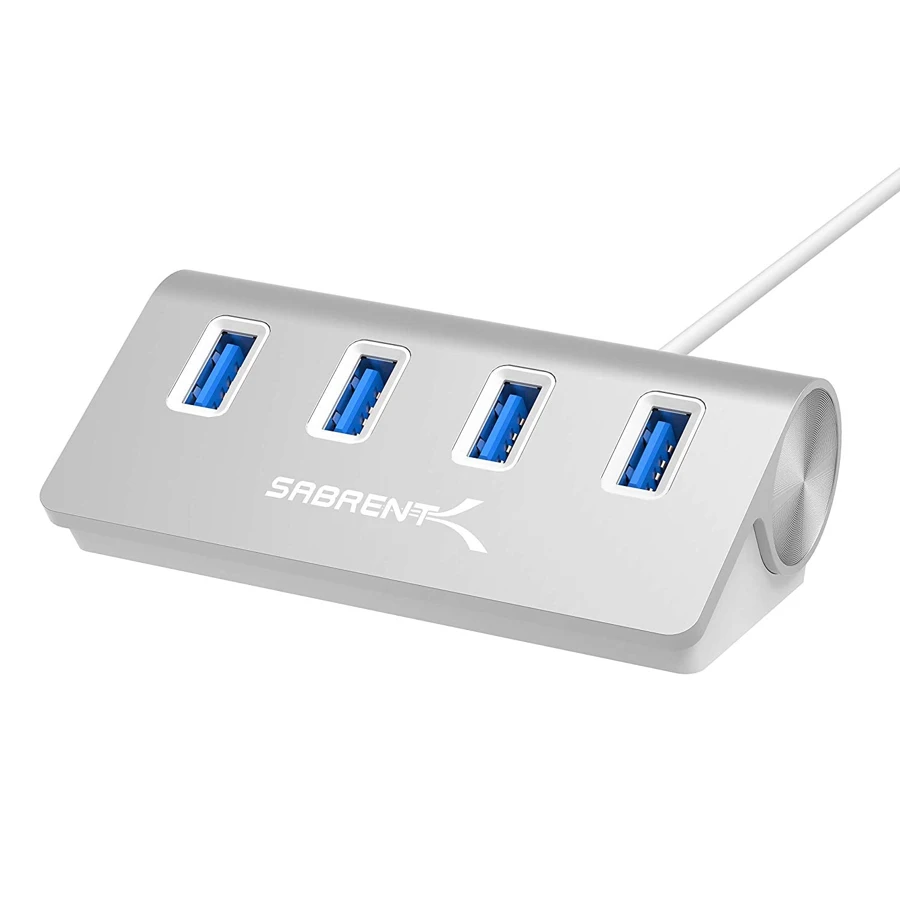
Your needs, this model
Does it fit your priorities?
Will it provide four 5 Gbps USB-A accessory ports?
Yes. Four USB 3.0 data ports are documented, sharing the included computer connection.
Explore this need in the finder →Is the optional power adapter already in the box?
No. The original manual explicitly calls the PS-5V4 W adapter optional and sold separately. It also does not provide laptop charging.
Explore this need in the finder →Does the silver Mac-style body mean it is an iMac clamp?
No. It is a conventional desktop hub, not a documented iMac-specific clamp or mounting fixture.
Explore this need in the finder →Four accessible sockets on a simple desktop hub
The Sabrent HB-MAC3 is a focused four-port USB 3.0 hub. Its angled aluminum body brings four traditional USB-A accessory sockets together on the desk, while a detachable cable connects it to the computer. It is most useful when the missing feature is accessible USB data connections rather than a complete laptop dock.
The silver finish and manufacturer references to Mac computers may make it look specialized, but the product page also names Windows and Linux compatibility. It is not an iMac-specific clamp, a monitor stand or a special Apple video adapter. Choose it for its actual USB arrangement, rather than assuming that the styling establishes a mounting or compatibility feature.
Data speed is shared, not multiplied
The manufacturer rates the four downstream sockets at up to 5 Gbps using USB 3.0. It also lists 480 Mbps USB 2.0 and 12 Mbps USB 1.1 compatibility for appropriate devices. Those figures describe the supported interface classes, rather than a measured result from copying files with four devices at once.
All four accessories share the computer connection. A mouse, printer and occasional flash drive form a different workload from several drives transferring continuously. The HB-MAC3 adds connection points; it does not add four independent host controllers or four separate 5 Gbps paths back into the computer.
If you need USB-C data sockets, a memory-card reader or Gigabit Ethernet, they are absent from this layout. Connecting a USB-C accessory through a separately suitable converter is a different arrangement from buying a hub that natively provides the required socket.
The host cable is detachable
The original illustrated guide identifies the hub's Micro-B input separately from the four downstream USB-A sockets. A USB 3.0 cable is included in the package. The preserved exact-model connector record identifies the supplied USB-A computer route, rather than a native USB-C host cable.
A detachable cable is useful when routing a hub around a desktop. It also means that a cable problem does not necessarily require replacing the hub body. Any replacement still needs the correct Micro-B connection and data specification; a cable that merely fits physically is not automatically suitable for the intended speed.
Plan placement so the cable can reach the computer without putting tension on either socket. The angled face can make ports easier to approach, but we do not turn that shape into a claim about measured stability, weight or a supplied mounting fixture.
The power adapter is an option, not part of the package
The manual explicitly labels the PS-5V4 W power adapter as optional and sold separately. The manufacturer package list contains the four-port hub and USB 3.0 cable. Do not assume that the presence of a power socket means an external supply is already included.
That matters when several bus-powered accessories will be used together. Check their power requirements and the exact compatible supply arrangement before relying on the hub for a demanding collection of devices. We do not assign a universal downstream power budget from the optional adapter's model name.
The adapter socket also does not turn the HB-MAC3 into a laptop charger. There is no USB-C Power Delivery path to the computer, no display output and no single-cable laptop power arrangement. The computer keeps its normal charger and monitor connection.
Who should consider it?
The original guide says no software drivers are needed for hub installation, while the manufacturer names Windows, Mac and Linux. Individual peripherals may still need their own normal software. That broad compatibility wording is not a chip-by-chip confirmation for every future Mac or OS release.
Choose the HB-MAC3 when four accessible USB-A data ports and a detachable cable solve the desk problem. Choose a supplied-power model when external power must be included, or a multifunction dock when the requirements extend to screens, networking, cards or laptop charging. The HB-MAC3 is useful precisely when its simple data-only role is enough.
Key details at a glance
| USB-A downstream data ports | 4 |
|---|---|
| USB-C downstream data ports | 0 |
| HDMI outputs | 0 |
| Full-size DisplayPort outputs | 0 |
| USB-C video outputs | 0 |
| Full-size SD slots | 0 |
| microSD slots | 0 |
| Advertised Ethernet link ceiling | 0Gbps |
| Maximum stated power available to host | 0W |
| Power adapter included | No |
| Detachable host cable | Yes |
| Individual port switches | No |
| Host requirements | Detachable Micro-B hub input; the preserved exact connector source identifies the supplied USB-A computer route. |
| Power and charging | Original manual identifies optional power adapter PS-5V4 W sold separately. It is not an included laptop charger. |
| Data and device limits | Four USB 3.0 data ports rated up to 5 Gbps, with documented USB 2.0/1.1 peripheral compatibility. |
Use the exact model’s instructions for operating limits, supplied equipment and version differences.
Sources for this assessment
Find a hub or dock for your desk.
Match the computer, screens, devices and charging routine, then check the exact supported arrangement.