
Your needs, this model
Does it fit your priorities?
Can I put four USB-A accessories a short distance from the laptop?
Yes. The exact package specifies an attached 1.5-foot USB cable and four downstream USB-A ports.
Explore this need in the finder →Can I replace the host lead with a longer one?
The host cable is built in. It is not a detachable-cable hub.
Explore this need in the finder →Will it provide a second screen while charging the computer?
No. The documented layout has USB-A data ports only, without video or laptop Power Delivery.
Explore this need in the finder →Four USB-A ports with room to position them
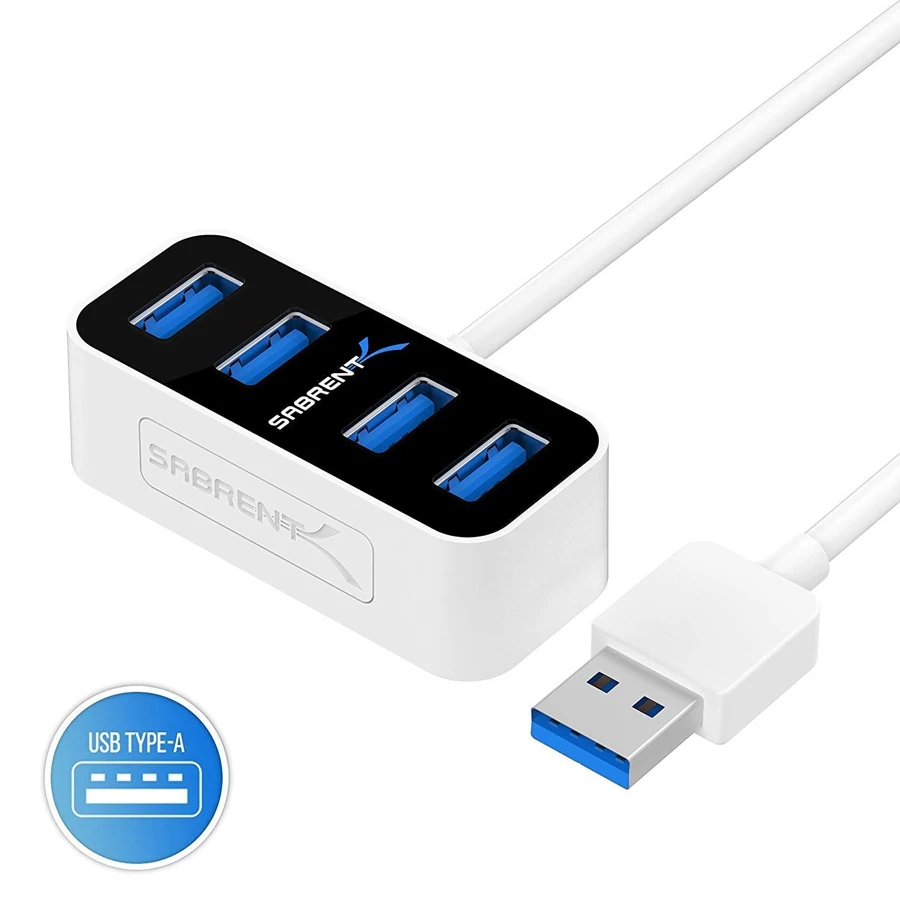
The Sabrent HB-MNBW is a small four-port USB 3.0 hub with an attached USB-A host cable. Its package specifies a one-and-a-half-foot lead. That makes it a different practical choice from a hub that plugs directly into the side of the computer: you can place the ports a short distance away, where inserting peripherals is easier.
The role is ordinary USB data expansion. It adds four USB-A sockets, not HDMI, Ethernet, card readers or laptop charging. If your computer already handles the screen and power connections satisfactorily, that simpler collection of ports may be exactly what is missing.
The cable is useful, but fixed
A little separation from the computer helps when nearby sockets are crowded or the computer sits behind other desk equipment. The attached lead also keeps you from forgetting a separate host cable when packing the hub. Check that its specified length reaches the position you intend to use.
The tradeoff is that the host cable is built in. You cannot simply swap it for a longer or differently routed lead at the hub. If a detachable cable or a larger distance from the computer is central to your setup, make that a buying requirement rather than planning around an improvised extension later.
What the USB 3.0 specification provides
Sabrent advertises a maximum 5 Gbps transfer rate, together with 480 Mbps USB2.0 and 12 Mbps USB1.1 compatibility. The faster mode needs a suitable host and connected device. A slower computer connection or peripheral remains a slower part of the complete path.
The number is an interface claim, not a measured copying result. Four ports share the connection back to the computer. A keyboard, receiver and occasional USB drive make a different demand from several fast drives transferring together, so judge the arrangement by simultaneous work as well as by the number of plugs.
Keep peripheral power expectations modest
The documented package contains the hub, built-in cable and manual; it does not list an external power adapter. There is also no documented USB-C Power Delivery path for charging a laptop. It should be selected as a data hub rather than as a powered charging station.
If you have devices with specific external-power requirements, use their documented supplies or select a hub with a suitable explicit power arrangement. More sockets do not automatically mean more power available from the computer. This is especially worth checking when several storage devices or other demanding peripherals will be connected together.
Choose the host connection first
The exact maker photograph shows a USB-A host plug. It therefore fits a USB-A computer connection directly; a USB-C-only laptop needs a different native connection arrangement. The manufacturer describes plug-and-play operation, but its exact page does not provide a detailed operating-system or Apple-chip compatibility matrix.
Choose the HB-MNBW for four USB-A accessories, a short fixed host lead and the documented5Gbps interface. Choose a USB-C host model for a USB-C-only machine, a detachable-cable hub for flexible desk routing, or a multiport dock when screens and charging are part of the same job. This model is useful when the simple data-port requirement is clear.
Key details at a glance
| USB-A downstream data ports | 4 |
|---|---|
| USB-C downstream data ports | 0 |
| HDMI outputs | 0 |
| Full-size DisplayPort outputs | 0 |
| USB-C video outputs | 0 |
| Full-size SD slots | 0 |
| microSD slots | 0 |
| Maximum stated power available to host | 0W |
| Power adapter included | No |
| Detachable host cable | No |
| Included host-cable length | 18 in |
| Power and charging | The package lists hub, captive cable and manual, without a separate supply. No laptop charging path is documented. |
| Data and device limits | Four ports at an advertised maximum 5Gbps, with explicit USB2/1.1fallback. Shared upstream bandwidth applies. |
Use the exact model’s instructions for operating limits, supplied equipment and version differences.
Sources for this assessment
Find a hub or dock for your desk.
Match the computer, screens, devices and charging routine, then check the exact supported arrangement.