
Your needs, this model
Does it fit your priorities?
Can it keep four USB-A devices connected to a USB-C computer?
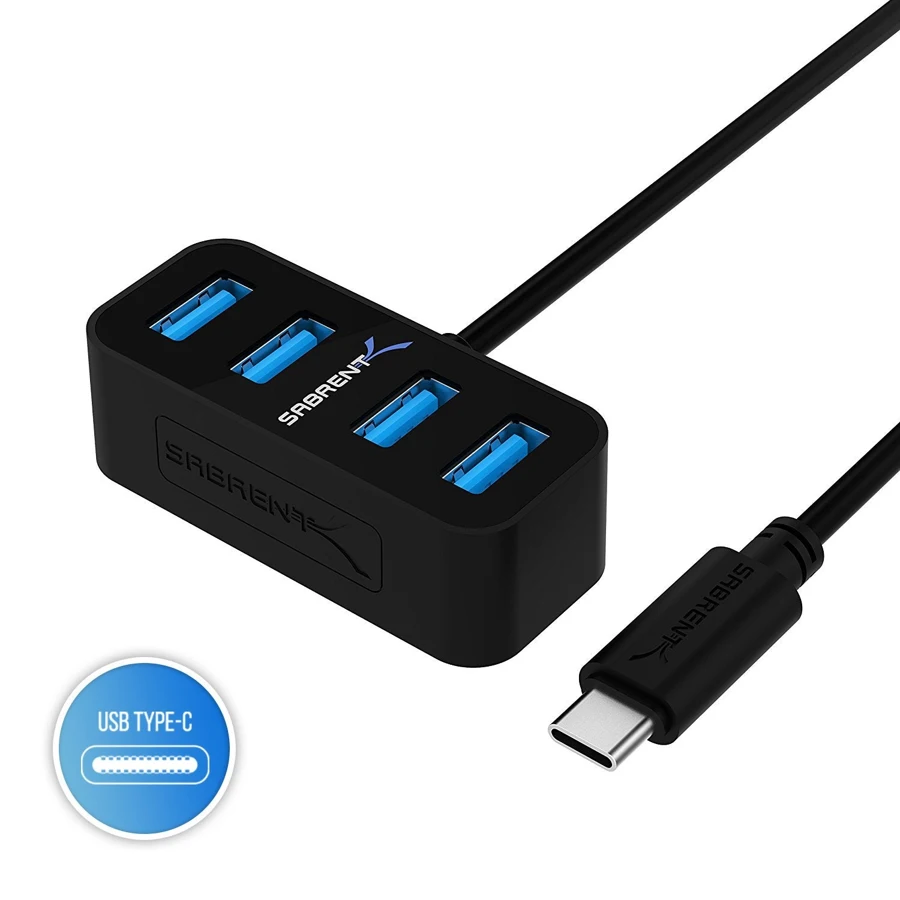
Yes. This model explicitly creates four USB-A3.0 ports from a USB-C host connection.
Explore this need in the finder →Will it connect directly to my USB-A-only computer?
No. The maker explicitly says this model requires a USB-C connector.
Explore this need in the finder →Can I connect a USB-C drive while charging the laptop through it?
No. The documented downstream connections are four USB-A ports, without a USB-C data or laptop-charging route.
Explore this need in the finder →A straightforward bridge to existing USB-A accessories
The Sabrent HB-MNCB connects to a USB-C host and creates four USB-A data ports. That makes it useful when the computer has moved to USB-C but the keyboard, receiver, USB drive or other accessories still use rectangular USB-A plugs. It is a data hub with a clearly limited purpose, rather than a compact version of every possible laptop dock.
The maker explicitly warns that the host must have USB-C. The similar-looking HB-MNBW uses a USB-A host arrangement, so make sure the model name and plug agree with your computer. Picking the correct upstream connector is more useful than buying either version on the assumption that all mini hubs are interchangeable.
Four downstream sockets, one shared connection
Sabrent documents four USB-A3.0 ports and an advertised maximum data rate of5Gbps. That interface suits ordinary USB3 peripherals and storage, while the maker also lists backward compatibility with USB2.0 and USB1.1 devices. A slower device does not become faster merely because it is attached to a newer hub.
All four sockets share the path back to the host. The advertised rate is not a benchmark and is not available as four separate full-speed computer links. For a mixture of input devices and occasional storage, having four places to connect can be the main benefit. For simultaneous heavy transfers across several drives, shared bandwidth becomes a more important part of the choice.
The USB-C lead is the host connection
The attached USB-C cable goes to the computer. It should not be counted as a downstream USB-C data socket for another drive. The product's peripheral side is four USB-A ports; users with mostly USB-C accessories may prefer a different hub rather than adding adapters at every device.
There is no documented HDMI output or other display connection. A video-capable computer does not create a video socket on the hub, and the USB-C shape of the host plug does not make the product a Thunderbolt display dock. Select it for data expansion if that is the job you need done.
Keep laptop charging separate
The exact documented layout does not include a USB-C charging input or a host Power Delivery function. Keep the computer's charger on its normal connection. If a one-port laptop must charge and run peripherals through the same cable, this model does not solve that combined requirement.
Peripheral power is another separate issue. Check what the connected devices need rather than assuming that four sockets create a larger power budget. If a demanding accessory needs its own supply, or several devices require an explicit powered arrangement, choose accordingly.
Who benefits most?
The HB-MNCB is a sensible fit for a compatible USB-C computer and a small collection of USB-A accessories. The manufacturer describes plug-and-play setup but does not provide an exact operating-system or Apple-chip matrix on the page, so a specialist device's own requirements still deserve attention.
Choose it when you want four familiar sockets and little else. Choose a hub with downstream USB-C for newer cables, a properly specified powered model for peripheral power, or a multiport dock for screens, cards and laptop charging. The useful distinction is its simple four-port data role, with a USB-C plug on the computer side and USB-A sockets for the accessories.
Key details at a glance
| USB-A downstream data ports | 4 |
|---|---|
| USB-C downstream data ports | 0 |
| HDMI outputs | 0 |
| Full-size DisplayPort outputs | 0 |
| USB-C video outputs | 0 |
| Full-size SD slots | 0 |
| microSD slots | 0 |
| Maximum stated power available to host | 0W |
| Detachable host cable | No |
| Host requirements | The maker explicitly requires a USB-C host; the attached lead is not USB-A. |
| Data and device limits | Four downstream USB-A3.0 ports, advertised up to 5Gbps. No downstream USB-C data port is documented. |
Use the exact model’s instructions for operating limits, supplied equipment and version differences.
Sources for this assessment
Find a hub or dock for your desk.
Match the computer, screens, devices and charging routine, then check the exact supported arrangement.