
Your needs, this model
Does it fit your priorities?
Can it connect a wired network and three USB-A devices?
Yes. The same documented USB-C arrangement provides three 5 Gbps USB-A ports and Gigabit Ethernet.
Explore this need in the finder →Will it charge the laptop while connected?
No. The HB-NTUC is a data and Ethernet adapter, without a laptop-charging input.
Explore this need in the finder →Can I add an HDMI screen through it?
No. Its documented ports are USB-A and Ethernet, so an external-screen requirement excludes it.
Explore this need in the finder →For networking and accessories, with no monitor complication
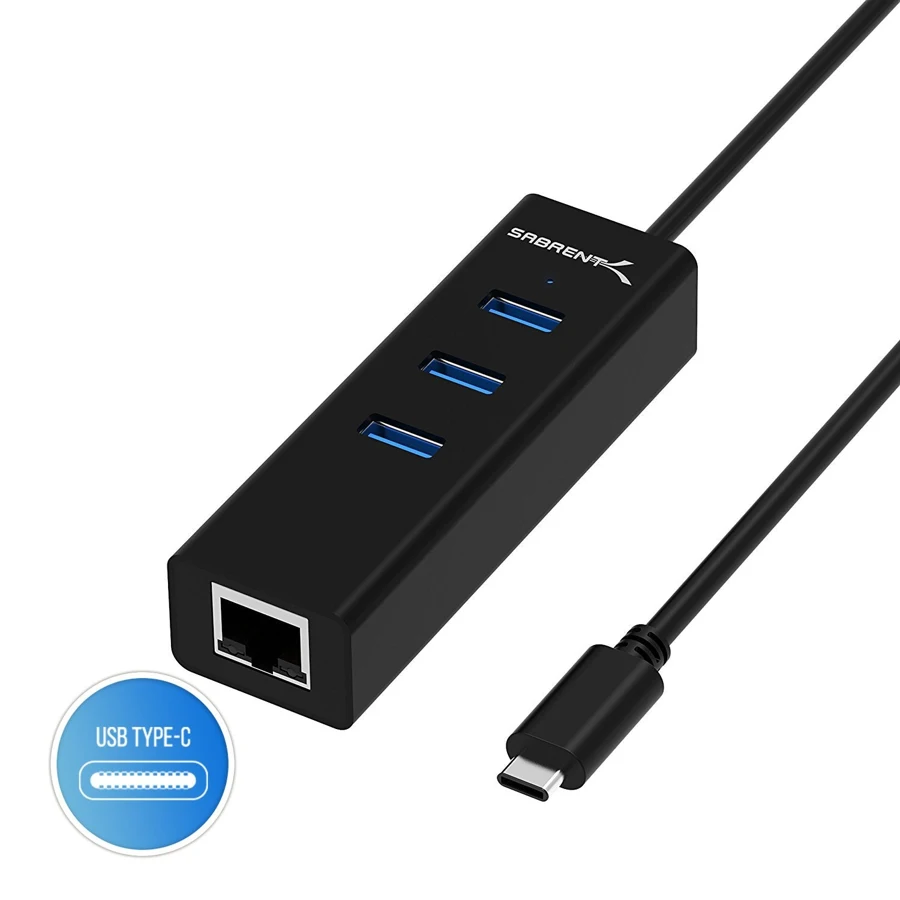
The Sabrent HB-NTUC suits a laptop whose missing connections are simple: wired Ethernet and a few USB-A sockets. It combines three USB 3.0 Type-A data ports with an RJ-45 network port, connected to the computer by an attached USB-C lead. This is a useful way to stop a mouse, a drive and a network adapter from consuming separate computer ports.
Its focused layout is also its limit. There is no HDMI or DisplayPort output, no memory-card reader and no USB-C laptop-charging input. If a single-cable desk connection must include a monitor and power, choose a different dock. If the computer already has satisfactory charging and display connections, paying attention to those absent functions can help you avoid buying more dock than the job requires.
The USB-C plug carries data rather than a display promise
Sabrent documents connection to a desktop or notebook with an available USB-C port. Its product title names MacBook Pro, Chromebook and XPS systems, while the manual illustrates a USB-C laptop connection. Those examples establish the intended computer role, without becoming a promise about every later operating-system release or Apple-chip family.
The three downstream USB-A ports are rated for transfers up to 5 Gbps. This is the advertised interface speed, rather than our measured copying result. The network adapter and USB accessories share the connection to the computer, so three sockets do not mean three independent 5 Gbps upstream links. A mixed group of ordinary accessories is a more natural use than assuming every attached drive will run at a full dedicated rate.
Gigabit Ethernet still depends on the rest of the network
The Ethernet connection supports links up to 1 Gbps and is backward compatible with 10/100 Ethernet. Attach a network cable from suitable network equipment to the RJ-45 socket. The computer, cable, router or switch and internet service still determine the connection you actually receive; a Gigabit port alone does not guarantee a Gigabit internet download.
The original manual describes the adapter as plug-and-play, with no driver installation required for the hub. It separately notes that connected devices such as printers may need their own drivers. That distinction is useful on an office laptop: the hub does not remove software requirements belonging to a peripheral attached through it.
Sabrent's troubleshooting notes recommend checking the network cable, restarting network equipment when appropriate and, on the illustrated older Mac setup, disabling AirPort if needed to select the wired connection. These are manufacturer setup suggestions, not results from our own network testing. Verify your computer's current network configuration rather than treating an older illustration as a complete modern OS guide.
An attached cable keeps the kit small
The manufacturer's product title specifies a built-in 1ft cable. It cannot be detached from the hub for replacement or swapped for a longer lead in the same way as a dock with a separate host cable. On a laptop desk, make sure the hub can rest beside the computer rather than hanging unsupported from the port.
The connection layout contains no external power input or supplied laptop charger. The computer therefore remains responsible for its own charging arrangement, and attached accessories must suit the available USB power. Do not treat the Ethernet hub as a substitute for a powered storage hub simply because several drives physically fit.
When this is the right small adapter
Choose the HB-NTUC when one USB-C data connection should provide three traditional accessory sockets and a wired network. It is especially straightforward when you do not need to manage display protocols, card readers or laptop Power Delivery through that same adapter.
Choose another model when your requirements include 4K video, a downstream USB-C data socket, multiple memory cards or computer charging. The practical value here is the specific combination of USB-A expansion and Ethernet. Match those needs first, and keep the rest of the laptop setup separate.
Key details at a glance
| USB-A downstream data ports | 3 |
|---|---|
| USB-C downstream data ports | 0 |
| HDMI outputs | 0 |
| Full-size DisplayPort outputs | 0 |
| USB-C video outputs | 0 |
| Full-size SD slots | 0 |
| microSD slots | 0 |
| Advertised Ethernet link ceiling | 1Gbps |
| Maximum stated power available to host | 0W |
| Power adapter included | No |
| Detachable host cable | No |
| Included host-cable length | 12 in |
| Host requirements | Built-in USB-C host lead; the manufacturer title names a 1 ft cable. |
| Power and charging | No laptop-charging input or supplied laptop charger in the documented port arrangement. |
| Data and device limits | Three USB-A data ports at up to 5 Gbps plus a 1 Gbps Ethernet link; these share the upstream connection. |
Use the exact model’s instructions for operating limits, supplied equipment and version differences.
Sources for this assessment
Find a hub or dock for your desk.
Match the computer, screens, devices and charging routine, then check the exact supported arrangement.