
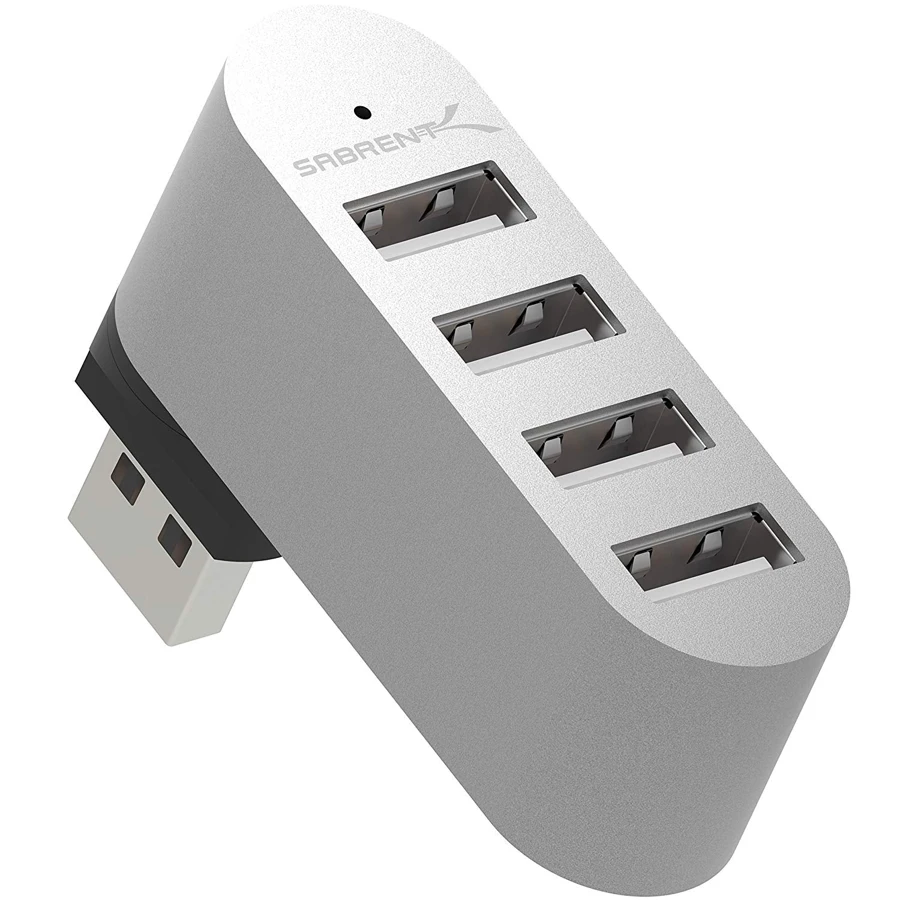
Your needs, this model
Does it fit your priorities?
Can I use it for four low-bandwidth USB-A peripherals?
The maker documents four USB2.0 ports and Windows/Mac/Linux plug-and-play operation. Check that the rotating body fits beside your computer socket.
Explore this need in the finder →Will it meet a 5 Gbps storage requirement?
No. This is the USB2.0 HB-UMMC, not the differently specified USB3.0 rotating model.
Explore this need in the finder →Can it charge a USB-C laptop through the hub?
No. Its direct USB-A host arrangement has no documented laptop Power Delivery path.
Explore this need in the finder →Four simple connections in a rotating body
The Sabrent HB-UMMC is a four-port USB 2.0 hub built around a rotating USB-A host connector. Rather than placing a small box at the end of a cable, it puts the hub directly beside the computer port. The manufacturer describes 90- and 180-degree rotation, letting you adjust the body's orientation within the available space.
It is a sensible idea for basic USB peripherals when a compact direct connection is more useful than a fast storage interface. The exact model matters: this is the four-port USB 2.0 version, not Sabrent's separately named three-port USB 3.0 rotating hub. A similar appearance does not make those specifications interchangeable.
Decide whether USB 2.0 is enough
USB 2.0 has a nominal 480 Mbps interface ceiling. That is not a measured copying speed and is not equivalent to the 5 Gbps mode offered by USB 3 hubs. Connecting the HB-UMMC to a newer computer does not change the hub's own USB generation.
For a keyboard, mouse or other modest-bandwidth device, the useful benefit may simply be having enough places to connect. For regular transfers involving modern external drives, the hub can become an unnecessary bottleneck. Choose the speed for the workload before choosing a compact shape.
The four downstream sockets also share the upstream path. Four connected devices do not receive four independent links into the computer. This is especially relevant if the reason for needing more sockets is to keep several storage devices active at once, rather than several occasional-use peripherals.
Fit is as important as port count
The rotating body remains physically close to the USB-A socket. Check the surrounding connections, the edge of the laptop and the direction in which accessory plugs will point. A position that clears a charging cable may still obstruct another connector or put an attached lead in an awkward place.
A flexible cabled hub gives more freedom to put the ports where your hands naturally reach. The HB-UMMC instead keeps the arrangement compact and avoids another loose host cable. Neither approach is automatically better; it depends on the computer and the accessories around it.
No separate dock or power functions
The documented product supplies USB data connections. It does not provide HDMI, Ethernet or memory-card slots, and it has no documented route for charging a USB-C laptop. The package lists the hub and manual rather than a separate power adapter.
If the connected accessories require more power than the host can comfortably provide, choose a hub with an explicit external supply and appropriate power specification. A direct plug and four sockets do not establish a charging station or a larger peripheral-power budget.
Where it belongs in a buying decision
Sabrent lists Windows, Mac and Linux compatibility with plug-and-play setup. That covers the hub's ordinary role; attached devices can still have software or host restrictions of their own. The page does not name every later Mac chip or operating-system revision.
The HB-UMMC fits a narrow, understandable requirement: four basic USB-A connections, USB2.0 performance and a directly attached rotating form. It is the wrong choice for a 5 Gbps storage requirement, a one-cable charging desk or a display connection. Select it for the layout and the actual peripherals, with the USB2.0 limit settled before you buy.
Key details at a glance
| USB-A downstream data ports | 4 |
|---|---|
| USB-C downstream data ports | 0 |
| HDMI outputs | 0 |
| Full-size DisplayPort outputs | 0 |
| USB-C video outputs | 0 |
| Full-size SD slots | 0 |
| microSD slots | 0 |
| Maximum stated power available to host | 0W |
| Power adapter included | No |
| Detachable host cable | No |
| Host requirements | Integral rotating USB-A host connector, documented 90/180-degree adjustment. |
| Data and device limits | USB2.0 only. The 480Mbps number denotes the standard interface ceiling, not a measured transfer result. |
Use the exact model’s instructions for operating limits, supplied equipment and version differences.
Sources for this assessment
Find a hub or dock for your desk.
Match the computer, screens, devices and charging routine, then check the exact supported arrangement.