
Your needs, this model
Does it fit your priorities?
Can I consider this earlier model for seven 5 Gbps USB-A ports?
Yes, with earlier models enabled. The exact datasheet documents seven data ports; the maker also marks UH700 End of Life.
Explore this need in the finder →Do the charging ports add three more data sockets?
No. The three charging-capable ports are included among the seven data ports, so a ten-port minimum does not fit.
Explore this need in the finder →Will its wall adapter charge the laptop?
No. The external supply powers the hub and attached devices, without a laptop PD path.
Explore this need in the finder →An earlier powered hub with seven actual data ports
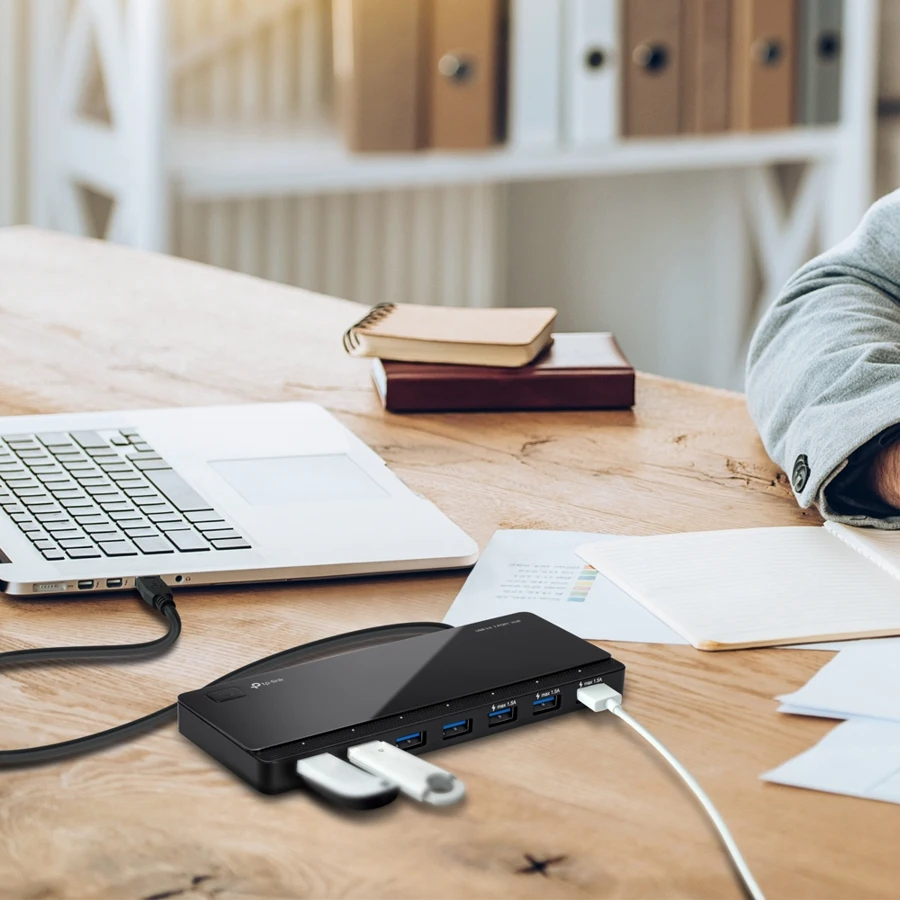
The TP-Link UH700 provides seven USB 3.0 Type-A data ports from one computer connection. An external supply powers the hub, while a detachable cable connects its Micro-B input to USB-A on the computer. It is a conventional desktop data hub rather than a modern video and laptop-charging dock.
The US manufacturer page explicitly marks the UH700 End of Life. That is why it is treated here as an earlier model; the label is not inferred merely from the age of a manual. This review is useful when checking an existing unit or an exact sourced model, without making a current-stock promise.
All seven sockets carry data
The original datasheet specifies seven USB 3.0 Standard-A outputs at up to 5 Gbps. They share the upstream computer connection, so the advertised interface rate is not seven independent full-bandwidth channels. Consider the combined workload when connecting several drives or other demanding devices.
The 2022 original guide adds a useful detail: the three ports on the right also provide up to 1.5 A device charging. Those are charging-capable data sockets within the existing seven, not three extra charge-only sockets. The total data count remains seven.
The source does not establish a guarantee that all three deliver their maximum charging current simultaneously. We also do not borrow a different model's smart-charging arrangement or convert the claim into a USB-C PD wattage. For a phone or tablet, the device, cable and actual supported charging method still matter.
Check the actual external supply
The supply description differs across the manufacturer's documents. The older V3 datasheet package lists 12V2 A, while the currently accessible US product page lists 12V2.5 A. Both describe an included hub adapter, but those are different output ratings.
Check the label on the actual supplied adapter and the hardware edition rather than assuming that one universal wattage covers every UH700. A missing or incorrect supply is particularly relevant when evaluating an older unit. We do not infer a replacement specification from the model name alone.
The external brick does not charge the computer through the hub. There is no USB-C Power Delivery computer connection in the documented layout. A laptop still needs its normal charger, even when the hub is connected to the wall.
Host connection and desk placement
The original datasheet lists a 1 m USB 3.0 cable, and the manufacturer's actual setup photograph shows the USB-A computer connection. The Micro-B input belongs to the hub. A USB-C-only laptop would need a separately suitable connection arrangement rather than the supplied native route reviewed here.
The listed body measures 165×65.5×17.5 mm. Position it where accessories remain accessible and the host cable can reach without tension. Its main power button and port indicators do not amount to seven independent power switches.
Before removing a drive or switching off the hub, finish transfers and use the operating system's normal safe-removal procedure. Hot-plug capability does not remove the risk of cutting off an active write.
Compatibility and a clear reason to choose differently
TP-Link names Windows, MacOSX and Linux and describes ordinary hub operation as plug-and-play. Individual connected devices can still require their own drivers or software. The reviewed materials do not provide a current Apple-chip compatibility table or a guarantee for every OS build.
There is no display output, card reader, Ethernet connection or downstream USB-C data socket. Choose the UH700 only when the earlier seven-port USB-A arrangement is the actual need and the specific unit and supply are understood. Choose a current documented model for a new setup where ongoing support, laptop charging or additional dock functions are essential. The most useful question is what the exact unit supplies, rather than whether its seven sockets resemble a newer multifunction dock.
Key details at a glance
| USB-A downstream data ports | 7 |
|---|---|
| USB-C downstream data ports | 0 |
| HDMI outputs | 0 |
| Full-size DisplayPort outputs | 0 |
| USB-C video outputs | 0 |
| Full-size SD slots | 0 |
| microSD slots | 0 |
| Advertised Ethernet link ceiling | 0Gbps |
| Maximum stated power available to host | 0W |
| Power adapter included | Yes |
| Detachable host cable | Yes |
| Individual port switches | No |
| Included host-cable length | 39.37 in |
| Host requirements | The original maker setup photo shows the supplied USB-A host route and Micro-B hub input. A1m cable is listed. |
| Power and charging | The included supply differs by document: the original V3 sheet lists 12V/2A; the current US page lists 12V/2.5A. Check the actual label. The 2022 QIG identifies three right-side data ports also providing up to 1.5A charging, without an aggregate guarantee. |
| Data and device limits | Seven 5 Gbps USB-A data ports; charging-capable ports remain part of those seven, not three additional sockets. |
Use the exact model’s instructions for operating limits, supplied equipment and version differences.
Sources for this assessment
Find a hub or dock for your desk.
Match the computer, screens, devices and charging routine, then check the exact supported arrangement.