
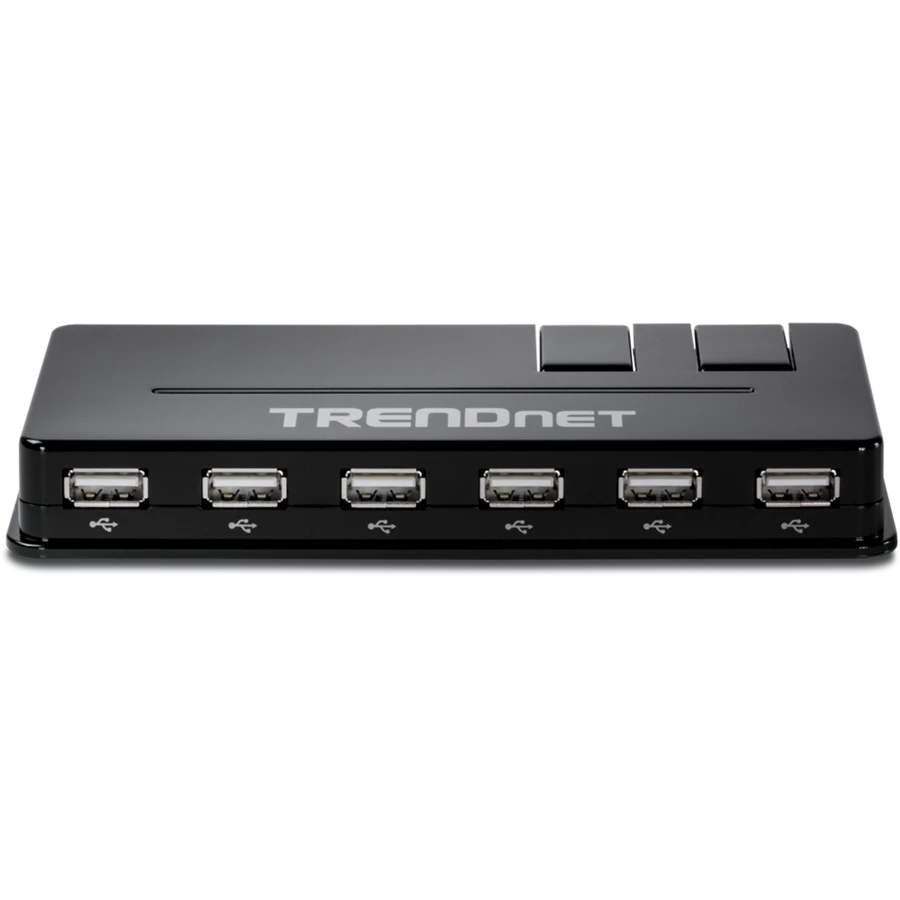
Your needs, this model
Does it fit your priorities?
Can I connect ten USB-A peripherals if I accept USB 2.0 speed?
Qualifies with earlier models enabled: ten USB-A data sockets share the 480Mbps upstream link.
Explore this need in the finder →Will this pass a 5Gbps requirement for an external SSD?
Fails: TU2-H10 is USB 2.0, with a 480Mbps advertised ceiling.
Explore this need in the finder →Does the supplied adapter charge a USB-C laptop through the hub?
Fails: its supply powers the hub and peripherals; there is no laptop charging route.
Explore this need in the finder →A place for ten older peripherals
The TRENDnet TU2-H10 makes sense when the problem is the number of USB-A sockets on an established desk. Its ten downstream ports let a keyboard, mouse, printer, scanner and other modest-bandwidth devices remain connected. The deciding limit is its USB 2.0 connection: adding sockets does not turn it into a modern storage dock. TRENDnet marks version V1.0R as discontinued, so this is a reference for an existing unit or a carefully identified earlier purchase.
That distinction matters particularly when comparing a long list of ports. A ten-port USB 2.0 hub can solve a peripheral-access problem more neatly than several small hubs, but it will not compete with a four-port USB 3 hub for moving large files. Choose it because the connected devices fit the older connection, rather than because ten appears larger than four on a comparison card.
The computer cable and the shared connection
The upstream socket on the hub is Mini-B, separate from the ten USB-A peripheral sockets. TRENDnet includes a roughly 90cm USB cable, listed as 35 inches. This is a detachable-cable arrangement: leave enough space for that computer lead and the power lead when positioning the hub. A Mini-B computer socket should not be mistaken for a USB-C input, and the supplied arrangement is for an ordinary USB-A computer connection.
The advertised maximum data rate is 480Mbps. All the connected devices ultimately communicate through that one upstream link. A flash drive does not receive an independent 480Mbps connection to the computer simply because neighboring sockets are unused, and simultaneous transfers divide the available connection. The number is a USB line-rate specification, not a file-copy measurement from our testing.
Use the supply for the intended load
The included external adapter is rated at 5V and 2.5A, or 12.5W. TRENDnet specifies a 100–240V AC input and says that the adapter is required when the combined connected-device load exceeds the 500mA available in its bus-powered arrangement. Ten physical sockets should therefore not encourage a plan to run ten power-hungry accessories from the computer alone.
The power supply serves the hub and attached USB devices. It does not charge the host computer, and it is not a USB-C Power Delivery charger. TRENDnet also cautions against treating this model as a charger for an iPad or other devices outside standard USB 2.0 charging behavior. If the main task is charging a collection of tablets, the hub's port count is the wrong specification to start with.
What installation actually involves
The package lists the hub, USB cable, power adapter and installation guide. The body measures 156 × 74 × 20mm and weighs 134g. It is a small desktop accessory rather than a rack or DIN-rail component. Cable access on more than one side can be useful when arranging many peripherals, but a crowded desk still needs room for the plugs themselves.
TRENDnet describes straightforward installation without a driver CD and lists Windows and Mac support in its historical compatibility material. That broad wording does not identify every later operating-system release or Apple silicon computer. Owners of an older supported setup have a clearer match than someone buying it specifically for a newly released Mac.
The sensible buying boundary
Keep the TU2-H10 in consideration for a legacy desk where low-bandwidth peripherals need to stay connected and the complete power supply is available. Move to a USB 3 data hub for faster storage, or a video-capable dock for displays, Ethernet and laptop power. Those are separate requirements that ten USB-A sockets cannot fulfill. Check the exact V1.0R identity and included accessories on any earlier unit; a surviving specification page establishes its design, not the condition or availability of a particular offer.
Key details at a glance
| USB-A downstream data ports | 10 |
|---|---|
| USB-C downstream data ports | 0 |
| Maximum stated power available to host | 0W |
| Included supply rating | 12.5W |
| Power adapter included | Yes |
| Detachable host cable | Yes |
| Included host-cable length | 35 in |
| Stated product weight | 134g |
| Power and charging | Included 5V 2.5A supply; adapter needed above 500mA aggregate bus-powered load. No host charging. |
| Data and device limits | USB 2.0 480Mbps line rate; shared upstream link. |
Use the exact model’s instructions for operating limits, supplied equipment and version differences.
Sources for this assessment
Find a hub or dock for your desk.
Match the computer, screens, devices and charging routine, then check the exact supported arrangement.