
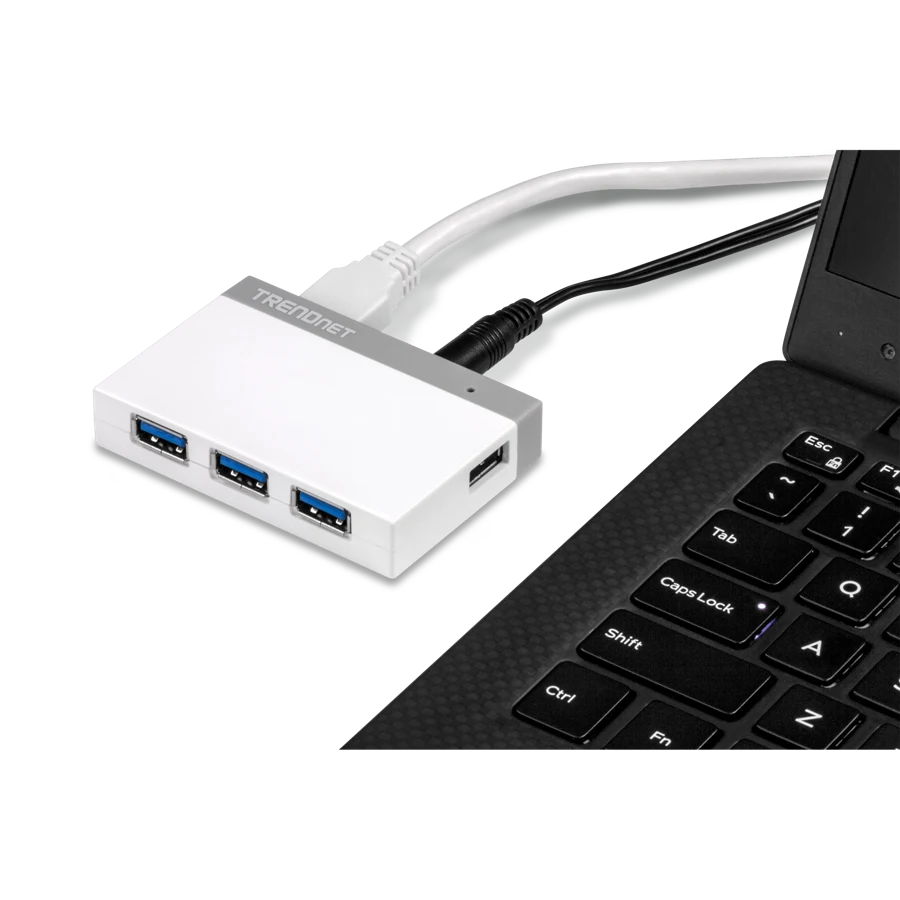
Your needs, this model
Does it fit your priorities?
Can I use four 5Gbps USB-A data ports with the documented USB-A computer connection?
Qualifies for the four-port USB-A data arrangement. The included adapter powers peripherals; it does not meet a computer-charging requirement.
Explore this need in the finder →Will its 20W supply charge my notebook through the hub?
Fails: the supply serves the hub and peripherals; no host charging route exists.
Explore this need in the finder →Can a USB-C-only computer connect directly with the supplied host route?
Fails: the documented supplied cable is the USB-A computer route, not USB-C.
Explore this need in the finder →Four ports with a different power arrangement
The TRENDnet TU3-H4 V3 is useful when a small USB-A hub needs a separate power supply at the desk. Its four downstream USB 3.0 ports have an advertised 5Gbps capability, while the package includes a 5V, 4A adapter. That combination gives it a different role from a tiny hub that relies entirely on the notebook's USB socket. It remains a peripheral hub rather than a laptop charging dock.
Revision is the first thing to check. This review describes TRENDnet's V3 specification. A historical listing carrying only TU3-H4 does not establish which hardware revision or accessory package it contains. Confirm the actual revision and supply before using these details to plan a replacement or buy an earlier listing.
A detachable cable helps desk placement
The hub uses a USB 3.0 Micro-B upstream socket and comes with a one-metre USB computer cable. TRENDnet also describes that length as three feet. The detachable lead allows the hub to sit farther from a notebook than designs with a few inches of fixed cable. It is a USB-A computer arrangement; a USB-C-only notebook needs a different documented connection solution.
At 75 × 51 × 14.5mm and 42g, the hub body itself is small. The complete powered setup includes more than that body, however: leave room for both the computer cable and power cable. There is no supplied clamp or industrial rail mounting kit in the listed package. It can move between desks, but the adapter adds an item to pack when traveling.
Understand the two power modes
TRENDnet specifies a 4.5W maximum bus-powered arrangement, with 0.9A total across the USB ports in standard mode. In that arrangement, the computer remains the source of peripheral power. The external adapter is rated at 20W total, with a 100–240V, 50/60Hz AC input. Connecting it is the relevant step when the peripheral plan calls for separately supplied hub power.
The charging table lists up to 1.5A per port for Battery Charging 1.2 devices and up to 2.4A for supported smartphones or tablets when external power is used. Those device-specific ceilings should not be multiplied by four into an unlimited simultaneous charging promise. The adapter's total rating and each connected device's requirements still matter. The table calls the adapter optional for that charging mode, while the V3 package list explicitly includes it.
None of those figures is laptop Power Delivery. The upstream cable carries USB data and the hub does not provide a documented host-charging function. A reader looking for one cable that powers a notebook as well as connecting peripherals should choose a suitable charging dock instead.
Speed and software expectations
The four USB-A sockets are specified for a maximum 5Gbps USB 3.0 line rate. Connected devices share one upstream connection, so four busy drives do not each receive a separate full-speed link to the computer. Older USB 2.0 and 1.1 peripherals are explicitly supported, with their older interface limits. This is a specification-based explanation; no file-copy result is implied.
TRENDnet describes setup without a driver CD and lists Windows, Mac and Linux operating systems. The general Mac line does not name every modern Apple chip, so it should not be read as an exact-chip compatibility guarantee. The package lists the hub, one-metre USB cable, quick guide and 5V4A supply. Choose V3 for that complete powered USB-A arrangement, and look elsewhere when USB-C input, displays, networking or notebook charging is the actual missing feature.
The included power adapter is useful for supplying the hub and its attached peripherals while the computer remains connected through the detachable data cable. Keep the upstream cable with the hub when packing it: the external power plug does not replace that computer connection, and the hub is not a standalone data-sharing station.
Key details at a glance
| USB-A downstream data ports | 4 |
|---|---|
| USB-C downstream data ports | 0 |
| Maximum stated power available to host | 0W |
| Included supply rating | 20W |
| Power adapter included | Yes |
| Detachable host cable | Yes |
| Included host-cable length | 39.37 in |
| Stated product weight | 42g |
| Power and charging | Included 5V4A adapter, 100–240VAC50/60Hz. Bus mode 0.9A total; quoted 1.5A BC1.2/2.4A device charging is not an all-port aggregate promise. |
Use the exact model’s instructions for operating limits, supplied equipment and version differences.
Sources for this assessment
Find a hub or dock for your desk.
Match the computer, screens, devices and charging routine, then check the exact supported arrangement.