
Your needs, this model
Does it fit your priorities?
Can a supported M2 Pro use two Type-C 4K 60 Hz screens and still leave one downstream Type-C port for a separate data device?
No. Those two screens occupy both downstream Type-C ports. Using HDMI plus one Type-C screen is a different arrangement that leaves one Type-C port available.
Explore this need in the finder →Can it combine four 10 Gbps USB-A ports, two 4K 60 Hz screens and 2.5 Gb Ethernet on a supported M2 Pro?
Yes, in the documented Thunderbolt arrangement. The two-screen routes are alternatives, and their occupied Type-C ports are accounted for separately.
Explore this need in the finder →Does a microSD adapter provide simultaneous access to a second native card slot?
No. An adapter uses the one SD reader; it does not add another independent slot. The dock has no native microSD reader.
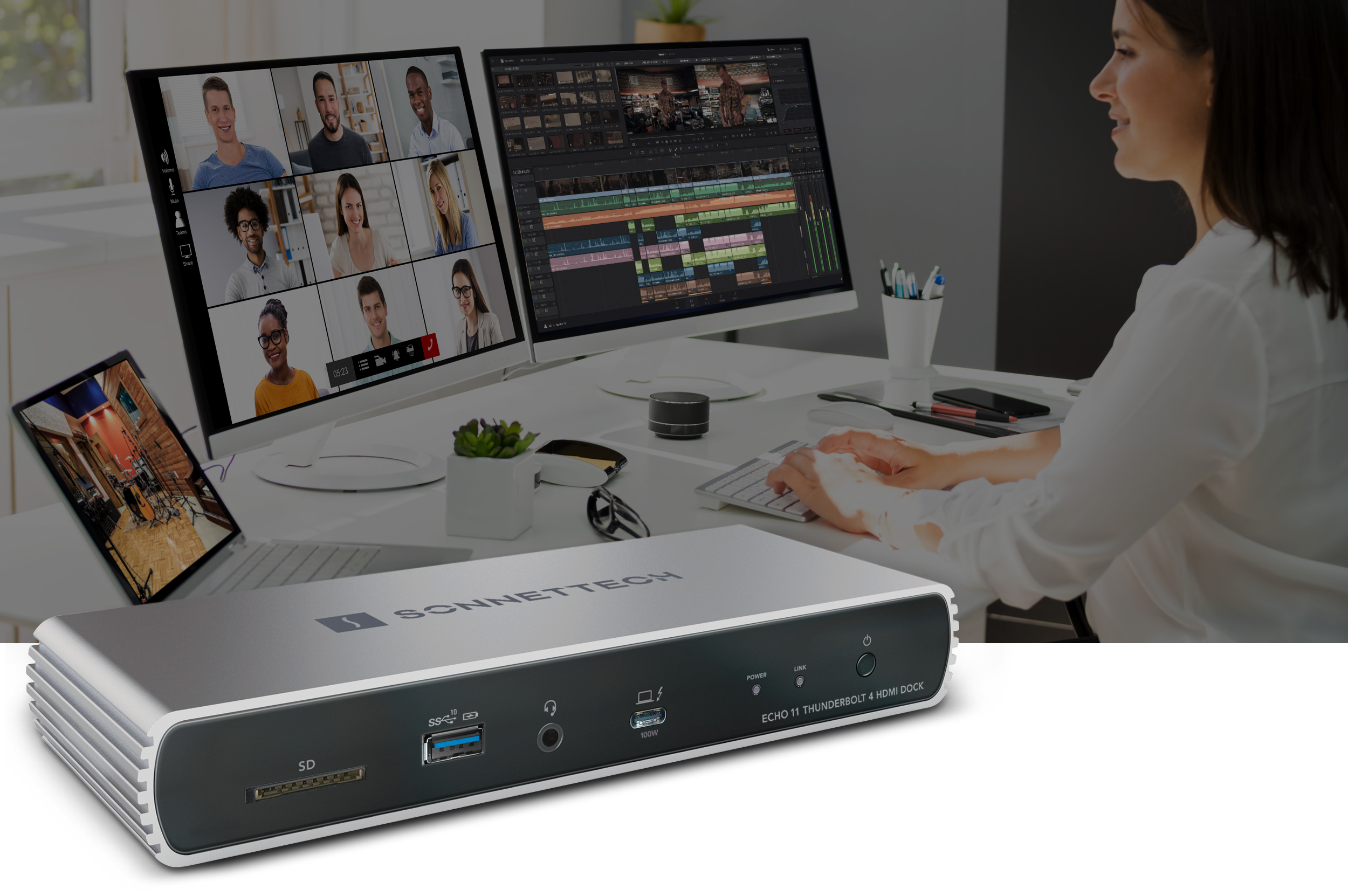
Explore this need in the finder →The Sonnet Echo 11 Thunderbolt 4 HDMI Dock is useful for a supported desk that wants a native HDMI connection, four 10 Gbps USB-A ports, 2.5 Gb Ethernet and an SD reader, with up to 100 W of laptop charging. It provides two downstream Thunderbolt ports after the host connection. The HDMI output adds a convenient route, but it does not make this a universal three-independent-screen dock.
Use HDMI without buying a video adapter for the first screen
The built-in HDMI socket is the practical distinction for a desk already using an HDMI monitor. Sonnet's exact specifications distinguish the supported Windows HDMI modes from the Mac limit, which is up to 4K 60 Hz through that socket. Do not apply the highest Windows HDMI headline to a Mac simply because both computers connect to the same dock.
A second appropriate display can use a downstream Thunderbolt connection, either directly for a supported USB-C or Thunderbolt monitor or through the correct separate adapter. The guide also documents using two displays through the two downstream Thunderbolt ports. These are alternative two-screen arrangements, rather than three independent outputs to add together.
Count the sockets those alternatives occupy. HDMI plus one Type-C display leaves one downstream Type-C port available for another device. Two Type-C displays use both downstream ports. An occupied monitor connection should not also be promised to another directly connected storage device in the same setup.
Match the computer, chip and operating system
Sonnet's display matrix documents the supported dual 4K 60 Hz arrangements on the relevant named hosts. Base M1 and M2 Macs retain a single external display through the dock. Compatible base M3 MacBooks have a separate closed-lid exception, while the current technical page lists newer base, Pro, Max and Ultra families with their own display limits.
The current OS requirements name macOS 15 or newer and Windows 11 25H2 or newer. The older quick-start guide includes earlier OS and Thunderbolt 3 Windows arrangements, so an older computer deserves a current compatibility check. This difference is a reason to verify the actual source arrangement, rather than guessing that every historical host remains equivalent.
The USB4 footnote is also material: the downstream ports inherit the computer's USB4 capabilities, which may differ in display count, bandwidth and PCIe tunneling. Selecting USB4 alone is not enough to establish every high-capability display route. Use the setup finder with the exact computer and independent-screen requirement, then check the source notes for that arrangement.
Four fast USB-A ports, with networking and one card slot
The exact port list and quick-start diagram show one front and three rear USB-A sockets, all specified at up to 10 Gbps. This is a different arrangement from the non-HDMI Echo 11 model's slower front USB-A port. The front socket also supports the documented charging function, but the USB interface ceilings are not measured file-copy rates.
The built-in Ethernet port supports a 2.5 Gbps link, with lower supported rates. A suitable multi-Gigabit switch, router or other network device and appropriate cabling are needed for that link mode. An ordinary Gigabit network stays within its own capability. The guide identifies the interface as a Realtek USB Ethernet controller; it should not be treated as a PCIe-only network port by borrowing another dock's restrictions.
The SD reader supports UHS-II and the documented SD formats. MicroSD can use a separate adapter in that same slot, but the dock has no second native microSD reader. One occupied SD slot cannot simultaneously accept an SD card and another card in an adapter. Add a separate reader if independent access to both formats is essential.
Allow for variable charging and the complete power system
The current package contains a universal 135 W supply, power cord and detachable 0.8 m Thunderbolt cable. The laptop ceiling is up to 100 W. Sonnet explicitly notes that charging varies with overall power use, so do not turn the supply rating or host maximum into a fixed guarantee under every peripheral load.
The guide warns that a laptop normally using more than 100 W can accept power from the dock yet slowly discharge during demanding work. Connecting the computer's own charger may therefore remain part of a suitable setup. A self-powered desktop Mac is another arrangement entirely and does not receive laptop charging through the dock.
The dock's switch controls all ports together and stops charging when switched off. Standard drivers for the supported dock functions come with the documented operating systems, while particular attached accessories can have their own requirements. Choose replacement host cables using Sonnet's stated Thunderbolt and power criteria.
Shortlist this model when one native HDMI output, the documented second-screen route and four fast USB-A sockets solve the desk problem. For a different balance with a native DisplayPort output, more dedicated Type-C data ports and two card readers, compare the CalDigit TS4. Check the connections, power and occupied ports that will actually be used together.
Sources: Sonnet Echo 11 HDMI exact specifications; official quick-start guide; Thunderbolt 4 display matrix. This is a specification-based assessment without claimed hands-on transfer, charging or durability results.
Key details at a glance
| USB-A downstream data ports | 4 |
|---|---|
| USB-C downstream data ports | 2 |
| HDMI outputs | 1 |
| Digital DVI outputs | 0 |
| Analog VGA outputs | 0 |
| Full-size DisplayPort outputs | 0 |
| Mini DisplayPort outputs | 0 |
| USB-C video outputs | 2 |
| Full-size SD slots | 1 |
| microSD slots | 0 |
| Simultaneous card slots | No |
| Advertised Ethernet link ceiling | 2.5Gbps |
| Maximum stated power available to host | 100W |
| Included supply rating | 135W |
| Power adapter included | Yes |
| Detachable host cable | Yes |
| Individual port switches | No |
| Included host-cable length | 31.5 in |
| Host requirements | Use the documented Thunderbolt or qualified USB4 host and supported OS. The current technical page names individual Mac families. Generic USB4 does not establish the richest display arrangement. |
| Screen arrangement | Two-screen alternatives are HDMI plus one downstream Type-C port, or both downstream Type-C ports. They are not three independent screens. The dedicated HDMI limit differs between Windows and macOS; each mode records the remaining data ports. |
| Power and charging | The included 135 W supply powers the dock, with up to 100 W for a suitable laptop. Charging varies with overall load, and demanding laptops may still need their own charger. Desktop arrangements receive no host charging. |
| Data and device limits | The exact specification and manual diagram show four 10 Gbps USB-A ports: one front and three rear. Two downstream Thunderbolt ports accept supported USB devices, but their ordinary USB line rates are not inferred from the 40 Gbps transport rating. |
| Installation | The US package includes a detachable 0.8 m Thunderbolt cable, power cord and universal 135 W supply. The switch controls all ports together. Published mass combines dock and supply, so a dock-only weight is left unknown. |
Use the exact model’s instructions for operating limits, supplied equipment and version differences.
Sources for this assessment
Find a hub or dock for your desk.
Match the computer, screens, devices and charging routine, then check the exact supported arrangement.