
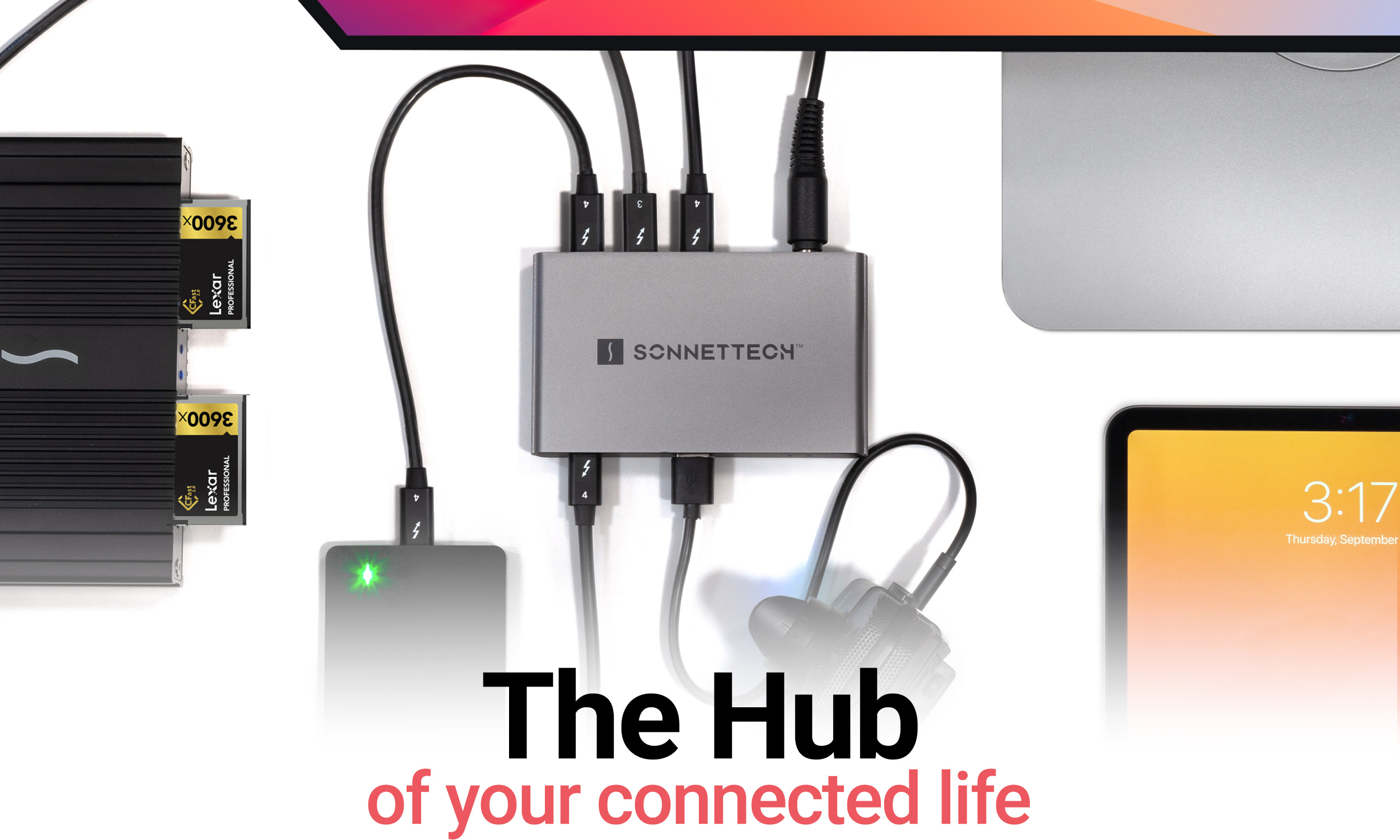
Your needs, this model
Does it fit your priorities?
Can a supported M2 Pro laptop use two Type-C 4K 60 Hz screens and the included supply for up to 85 W charging?
Yes, in the documented Thunderbolt arrangement. The screens occupy two downstream ports, leaving one for another direct device. Charging is a maximum allowance that varies with the complete power load.
Explore this need in the finder →Does the hub provide two built-in USB-A data ports?
No. It has one USB-A data port. More USB-A devices require appropriate additional connections or another hub.
Explore this need in the finder →After connecting two Type-C screens, are two downstream Type-C ports still available for separate direct data devices?
No. The two screens occupy two of the three downstream ports, leaving one available for another directly connected device.
Explore this need in the finder →The Sonnet Echo 5 Thunderbolt 4 Hub is for a supported desk that needs additional Thunderbolt or Type-C connections and up to 85 W of laptop charging, with only one built-in USB-A port. It suits an accessory collection already organized around Type-C storage, monitors or specialist adapters. It is less convenient when Ethernet, camera-card readers and several USB-A devices are permanent requirements, because none of those extra connections is built in.
Count three downstream ports after connecting the computer
The hub has four Thunderbolt 4 sockets, but one is the Computer/Charging connection. Three remain for downstream devices. Sonnet documents support for compatible Thunderbolt, USB4 and ordinary USB peripherals on those connections, as well as suitable displays. Attaching a Thunderbolt 5 device does not turn the hub into an 80 Gbps Thunderbolt 5 product; the device operates within the hub's supported Thunderbolt 4 connection.
The one USB-A port supports ordinary USB data at up to 10 Gbps. That is useful for an older accessory alongside Type-C equipment, but it is only one such socket. A keyboard, mouse and USB-A storage drive together need additional suitable connections or another hub. Include that extra component when evaluating the complete desk rather than comparing total-port headlines.
There is no native HDMI, DisplayPort, Ethernet, SD or microSD connection. A compatible USB-C or Thunderbolt display can connect directly to a downstream socket; an HDMI or DisplayPort monitor needs the appropriate separate adapter. Those additions consume ports and create their own cable and compatibility requirements.
Two screens are a host-specific arrangement
Sonnet's exact product page distinguishes one external display on base M1 and M2 Macs from the supported two-screen Pro, Max and Ultra arrangements. Compatible base M3 MacBooks have a separate closed-lid exception. The newer base families are listed separately in the current compatibility section, so a generic “Mac” answer does not establish one common display plan.
The published Thunderbolt 4 display matrix documents dual 4K 60 Hz on the appropriate named hosts. Two directly connected Type-C displays use two of the three downstream ports, leaving one of those ports available for another direct device. Do not allocate either occupied screen connection to a separate SSD in the same setup.
The current Windows requirements name Windows 11 25H2 or newer with the supported Thunderbolt or USB4 connection. The quick-start guide also describes older Windows arrangements and explains an important USB4 limitation: the downstream ports inherit the host's USB4 capabilities, which can differ in display count, bandwidth and PCIe tunneling. A generic USB4 label is not proof of the richest two-display arrangement.
Use the setup finder with the actual computer family, host capability and required independent displays, then check the model and operating-system notes. Higher resolution or refresh-rate modes need the specific display and GPU support in Sonnet's matrix; a single-screen headline should not become an unverified simultaneous mode for every monitor.
The 85 W ceiling is separate from the 100 W supply
The package includes a 100 W universal power supply, power cord and detachable 0.8 m Thunderbolt cable. The hub uses external power. Its host charging allowance is up to 85 W, while the downstream Thunderbolt ports have their own accessory power limits. Sonnet explicitly notes that the charging rate varies with overall power use.
That makes a high-power laptop worth checking carefully. The supplied adapter's rating does not mean the computer receives all 100 W, and an advertised maximum is not a fixed promise under every peripheral load. Desktop Macs use their own supplies rather than receiving laptop charging through the hub.
The power switch controls the whole hub. According to the quick-start guide, switching it off removes power from all ports and stops charging connected devices. It is not a set of individual port switches for independently disconnecting selected peripherals. Plan the charging routine accordingly if devices normally remain attached overnight.
Choose the complete set of connections you will actually use
The standard drivers needed by the supported dock arrangement come with the documented operating systems. Particular connected accessories may still have their own software requirements. The supplied host cable is detachable, but replacement cables must meet Sonnet's stated Thunderbolt and power requirements; a fitting Type-C plug alone does not establish equivalence.
Shortlist Echo 5 for a confirmed host and a small collection of appropriate Type-C devices, with the power allowance and occupied display ports accounted for. For a different balance of ordinary USB ports, compare the CalDigit Thunderbolt 4 Element Hub: it provides four built-in USB-A ports with a different host charging ceiling and supply. That comparison is about the peripherals and charging arrangement on your desk, rather than which hub has the larger number in its name.
Sources: Sonnet Echo 5 exact specifications; official Echo 5 quick-start guide; Sonnet Thunderbolt 4 display matrix. This assessment does not claim hands-on transfer, charging or durability measurements.
Key details at a glance
| USB-A downstream data ports | 1 |
|---|---|
| USB-C downstream data ports | 3 |
| HDMI outputs | 0 |
| Digital DVI outputs | 0 |
| Analog VGA outputs | 0 |
| Full-size DisplayPort outputs | 0 |
| Mini DisplayPort outputs | 0 |
| USB-C video outputs | 3 |
| Full-size SD slots | 0 |
| microSD slots | 0 |
| Simultaneous card slots | No |
| Advertised Ethernet link ceiling | 0Gbps |
| Maximum stated power available to host | 85W |
| Included supply rating | 100W |
| Power adapter included | Yes |
| Detachable host cable | Yes |
| Individual port switches | No |
| Included host-cable length | 31.5 in |
| Host requirements | Use the documented Thunderbolt or qualified USB4 host and supported OS. The current exact compatibility list includes separate Mac chip families. Generic USB4 does not prove the richest display or Thunderbolt peripheral arrangement. |
| Screen arrangement | Displays use the downstream Type-C ports, directly or through suitable separate adapters. Two directly connected screens leave one downstream port for another direct device. Newly listed host display counts without an exact joint timing remain unquantified. |
| Power and charging | The included 100 W supply powers the hub. Laptop charging is up to 85 W and varies with overall power use. Desktop Ultra and M6 Mac mini arrangements have no host charging. Switching off the hub removes power from every port. |
| Data and device limits | The sole USB-A port supports up to 10 Gbps. Three downstream Thunderbolt ports accept supported USB devices, but their ordinary USB rates are not inferred from the 40 Gbps transport rating. Every display mode records the data connections remaining after screens are allocated. |
| Installation | Sonnet explicitly describes travel-sized use with the complete powered hub. The package includes a detachable 0.8 m Thunderbolt cable, universal 100–240 V supply and power cord. Published weights combine hub and supply, so an isolated hub weight is not assigned. |
Use the exact model’s instructions for operating limits, supplied equipment and version differences.
Sources for this assessment
Find a hub or dock for your desk.
Match the computer, screens, devices and charging routine, then check the exact supported arrangement.